Moving House: Internet Working on Day One
You have the keys, the truck is unloaded, and someone has already asked for the Wi-Fi password. You plug the router into the wall socket, wait for the lights to settle, and nothing happens. A phone call later you learn that your connection has been scheduled for activation in eleven days.
This is one of the most common and most avoidable frustrations of moving house in Australia. It happens because people treat the internet like electricity — something that is simply there when you arrive — when it behaves far more like a small construction job with a queue in front of it.
Almost all of it can be prevented with a few decisions made two or three weeks earlier. Here is what actually matters, roughly in the order you should deal with it.
Start earlier than feels necessary
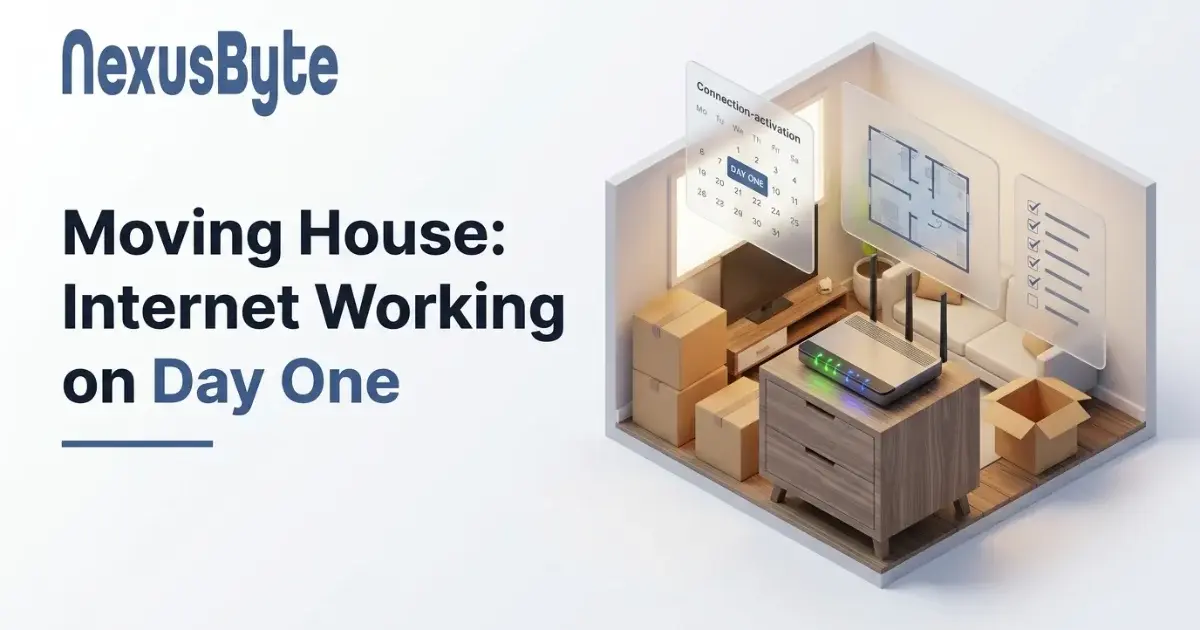
The single biggest mistake is ordering the connection the week you move. Even a straightforward transfer to an address with an active service can take several business days, and anything that needs a technician can take considerably longer.
Three to four weeks ahead is comfortable. Two weeks is usually workable. The week of the move is a gamble, and the odds get worse if you are moving at the end of the month, over Christmas, or at the end of a school term, when everyone else in Sydney is moving as well and the technician queue is at its longest.
Ordering early costs you nothing. You nominate the connection date, and if settlement slips you move it. What you cannot do is compress a technician appointment that has already been booked out.
Find out what the new address actually has
Before you commit to a plan, find out what technology serves the property. The connection type at that address decides what speeds are achievable there, and it may be nothing like what you had before. Moving from a fibre-connected apartment to a house served by copper from a street cabinet can halve your real-world speed while your plan and your bill stay exactly the same.
It is worth understanding what you are moving into rather than discovering it afterwards — our guide to why your NBN is slower than the plan you pay for explains how each connection type behaves and what ceiling it imposes.
Two other questions are worth asking the agent or the previous occupant, and they save a great deal of time:
- Is there an active service at the address now? If someone is connected today, activation is usually a remote change with no technician. If the property has been vacant a long time, or is a new build, expect an appointment.
- Where is the connection point? The box the service terminates at may be in a garage, a hallway cupboard, under the stairs, or in an awkward corner of a bedroom. Its position dictates where your router has to live, which in turn dictates your Wi-Fi coverage before you have unpacked a single box.
That last point catches people out constantly. A router forced into a garage at one end of a long house will never cover the far bedrooms properly, and the fix is a coverage plan rather than a faster plan. If the connection point is badly placed, or there is no working outlet where you need one, our internet installation team can sort that out before you move rather than after.
Transfer or start fresh
You have two options and they are not equivalent.
Transferring your existing service keeps your plan and your email address, and is usually the faster path — though check whether your current provider even services the new address, and whether the connection type there supports your current speed tier. There is no point paying for a fast plan the new line cannot deliver.
Starting fresh with a new provider is worth considering precisely because moving is the one moment when switching costs you nothing. Look at the typical evening speed rather than the headline number, since that is the figure that reflects what you will actually get at 8pm.
Either way, do not cancel the old service until the new one is confirmed working. An overlap of a few days costs very little; a gap costs you the entire point of planning ahead.
Have a plan for the gap
Sometimes the timing simply cannot be made to work — settlement moves, or the property needs an appointment that is three weeks out. That is survivable if you decide in advance rather than discovering it on moving day.
Tethering from a phone will comfortably carry a laptop, a video call and a work session. Know your data allowance before you rely on it, and be aware that a house full of devices will drain a phone plan quickly. If you work from home and a fortnight offline is not an option, a prepaid mobile broadband service for the interim is cheap insurance, and it is worth reading how a home network holds up under a full day of video calls so you know what your temporary connection actually has to support.
Tell your employer early if there is any risk. A known gap that is planned around is a non-event; the same gap discovered at nine on a Monday is a problem.
The first day: what to set up, and in what order
Once the connection is live, the house is not finished — the network is. Work through it in this order and you will avoid most of the frustration:
- Position the router deliberately. Central and out in the open beats tucked into the cupboard nearest the wall socket. This one decision determines coverage more than any equipment you buy.
- Set your own network name and password rather than keeping the one printed on the sticker, and change the router's admin password while you are there. The default is public knowledge.
- Check coverage room by room before you hang pictures and build furniture. A dead spot found on day one is a small problem; the same dead spot found after the study is assembled around it is a bigger one.
- Reconnect the fixed devices, which is the step that consumes the most time and patience.
That last one is worth planning for. Every smart device in the house — globes, plugs, cameras, doorbells, speakers, the robot vacuum — is configured for your old network and none of them will find the new one. Each has to be re-paired individually through its own app, and they are the devices most likely to resist. If your old house had a network name and password you liked, one shortcut is to reuse exactly the same ones on the new router, at which point most devices simply reconnect on their own. Where they still misbehave, the causes are usually the same handful covered in why smart home devices keep dropping off Wi-Fi.
Televisions, streaming sticks and consoles need the same treatment, and a smart TV and home theatre setup is worth doing properly once rather than repeatedly rediscovering which box lost its login. The same goes for the printer, which is reliably the last device anyone thinks about and the first one somebody urgently needs.
Treat it as a chance to fix what annoyed you
A move is the rare moment when nothing is installed yet, which makes it much easier to correct the things that quietly irritated you in the old place.
If the study was always the weakest spot for Wi-Fi, decide where the desk goes with coverage in mind rather than discovering the problem later. If your router came with a plan several years ago and struggled with the number of devices you own, replacing it now is far less disruptive than replacing it around a working household. If the previous house never had a sensible spot for the printer, or nobody could ever find the family photos, a home office setup and a proper home data backup are much easier to establish before the boxes are unpacked than to retrofit afterwards.
If there are children in the house, this is also the easiest moment to set up filtering and time limits, because nothing is configured yet and no rule is being taken away from anyone — our guide to setting up the internet for a house with kids covers what is worth doing.
Moving is also the natural point to reconsider coverage as a whole. If the new place is larger, double-brick, or spread over two levels, the equipment that was adequate before may not be, and it is better to know that in week one than in month six.
Getting it done without the stress
None of this is difficult, but it does need to happen in the right order and early enough to matter. The households that move without an internet drama are simply the ones that ordered three weeks out, checked what the property had, and had a plan for the days in between.
If you would rather hand it over, our Sydney team can arrange the connection, set up and position the equipment, get the coverage right across the whole house, and reconnect the devices that always take longest — through our home IT support service. Arriving at a house where everything simply works is a considerably better first night than spending it on hold.