

Microsoft Surface Data Recovery — Sydney, Serving All of Australia
Surface devices are brilliant until they die — and when they do, getting your data out is harder than on almost any other laptop. Most Surface models solder their storage directly to the motherboard, and Windows encrypts the drive with BitLocker by default, often without the owner ever knowing.
NexusByte recovers data from dead, damaged and non-booting Microsoft Surface devices for Sydney customers and, via mail-in, Australia-wide. That covers Surface Pro, Surface Laptop, Surface Book, Surface Go and Surface Studio, whether the fault is a dead motherboard, a shattered screen or a Windows installation that won't start.
We'll also be upfront with you: Surface recovery has real limits, and anyone promising guaranteed results on an encrypted, soldered device isn't being straight with you. We assess free, explain exactly what's possible for your model and situation, and work on a strict no recovery, no fee basis.
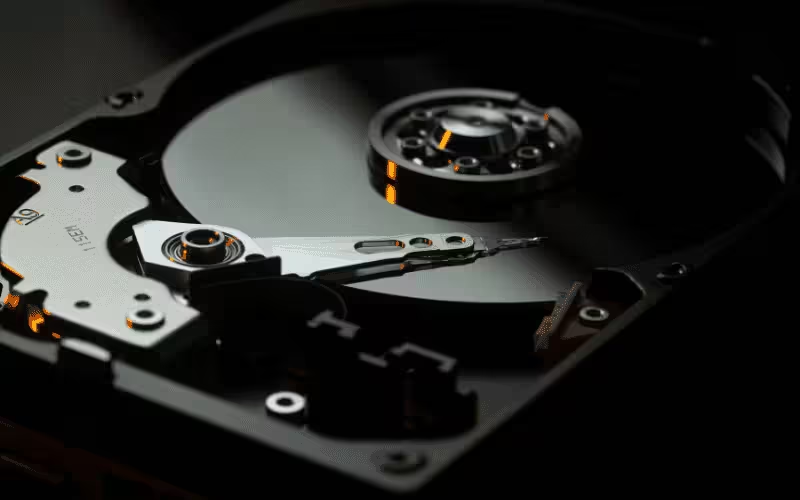
Our Surface data recovery service includes:
An honest approach to a locked-down device
Surface recovery starts with two facts most owners discover the hard way: the storage is usually soldered to the board, and BitLocker encryption is usually switched on. Any recovery plan that ignores either fact is a plan that fails.
Our first step is identifying your exact model, because it changes everything — older Surface Pro and Surface Laptop generations have fully soldered storage, while many recent models use a small removable SSD that can be read outside the machine. Next we establish the BitLocker position: with your recovery key (usually stored in your Microsoft account) the encrypted data can be unlocked once extracted; without any key source, the encryption does its job and the data stays locked. From there we choose the least invasive path — repairing the device enough to boot, reading a removable SSD directly, or board-level work to reach soldered storage.
If your situation is one of the genuinely unrecoverable ones, we'll tell you at the assessment stage — not after weeks of false hope.
Built for Surface. Engineered for its quirks.
Every Surface generation hides its data a little differently. We plan the recovery around your exact device, not a generic laptop playbook.
Not sure which model you own? Bring it in — identifying it is part of the free assessment.
Your Data, Protected. Guaranteed.
We safeguard and recover your data with clear pricing and a no-risk promise on recovery work.




Your data stays backed up, secure, and recoverable when you need it most.
Request a Free QuoteWhat recovery success looks like on a Surface
When a Surface recovery works, you get more than files — you get clarity on the encryption, the device and what to do differently next time.
And whatever the outcome, the assessment and the honesty are free.
Our Surface recovery process
Because Surface hardware and encryption vary so much between models, the process leans heavily on diagnosis before any promises are made.
Surface recovery services
Dead Surface recovery
The device won't power on, won't charge, or shows a logo and nothing more. Whether the board or the Windows installation has failed determines the recovery route.
Includes:
- No-power and no-charge faults
- Boot-loop and blue-screen devices
- Liquid-damaged motherboards
- Failed Windows updates
- Storage reads from dead boards
Broken screen data extraction
A Surface with a shattered or black screen usually still holds perfectly healthy data — the challenge is driving a machine you can't see.
Includes:
- Shattered touchscreen devices
- Black-screen and no-display faults
- External display extraction
- Touch-not-responding devices
- Data copied off before screen repair
BitLocker and account lockouts
Encryption is the make-or-break factor in Surface recovery. We help you track down every possible key source before declaring anything lost.
Includes:
- Microsoft account key retrieval help
- Work and school account guidance
- Recovery key location checks
- Forgotten PIN scenarios
- Honest advice when no key exists
Why choose NexusByte for Surface recovery
- Straight answers about soldered storage and BitLocker from day one
- Free assessment before you commit to anything
- No recovery, no fee — even on the hardest jobs
- Board-level capability, not just software tools
- Sydney workshop with Australia-wide mail-in
Surface recovery is hard. Choosing someone honest about that shouldn't be.
What Is Microsoft Surface Data Recovery?
Surface data recovery is the retrieval of files from a Surface Pro, Laptop, Book, Go or Studio that will no longer start, no longer charge, has a dead screen, or has been damaged by a drop or liquid. It covers the whole range, from devices with a removable NVMe drive through to the models where the storage is soldered permanently to the mainboard.
Surface devices are the hardest mainstream Windows machines to recover from, and the reason is design rather than fragility. They are built as sealed units: glued displays, no service hatch, and on many models no drive that can simply be taken out and read in another computer. When one dies, the usual first step of every recovery — remove the disk — is not available.
Why Is a Surface Harder to Recover Than a Normal Laptop?
Two things make it difficult. The first is soldered storage. On most Surface Pro and Surface Laptop models the flash memory is part of the mainboard, so reading it means working at chip level on the board itself rather than plugging a drive into another machine.
The second is BitLocker. Windows enables device encryption by default on these machines, and many owners have never seen a recovery key because it was saved silently to the Microsoft account during setup. The data can be reached physically and still be unreadable without it. This is the single most common reason a Surface recovery stalls, and it is worth checking before anything else.
Opening the device is its own hazard. The display is bonded with adhesive and sits directly over the battery on several models, which is why prying one apart without the right heat and tooling risks puncturing a lithium cell — a genuine fire risk, not a theoretical one.
Where Do I Find My BitLocker Recovery Key?
In most cases it is already saved and simply needs retrieving. Sign in at the Microsoft account used to set the device up and open the devices section, where recovery keys are listed against each machine. On a work or school device the key usually sits with the IT administrator or in the organisation's Azure AD portal instead.
Find it before bringing the device in if you can. Recovery with the key is a technical job; recovery without it, on a properly encrypted volume, is generally not possible at all — and we would rather tell you that at the start than after the work.
What Should You Do When a Surface Dies?
- Locate the BitLocker recovery key from your Microsoft account before anything else.
- Do not accept a Microsoft or retailer replacement until the data is off — swapped devices are wiped or recycled.
- Do not attempt a reset or a fresh Windows install to “fix” it. Either can make the existing data unrecoverable.
- Do not try to open the case. The bonded screen sits over the battery, and a punctured cell is dangerous.
- If it has been in liquid, leave it off entirely — do not charge it to see whether it survived.
Can Data Be Recovered From a Surface That Will Not Turn On?
Often, yes. A device that is completely dead has usually suffered a power or charging fault rather than a storage fault, which means the memory holding your files is intact and the problem is reaching it. Where the board can be revived enough to read the storage, that is the cleanest route; where it cannot, the work moves to reading the flash directly.
Every Surface is assessed first, and you get a straight answer on whether the storage is removable, whether encryption is in play, and what is realistically recoverable — with a fixed quote before anything starts and no charge under our no recovery, no fee policy if nothing comes back.
Service Coverage
Data Management & Recovery Service Areas
We provide Data Management & Recovery Services across Sydney and surrounding areas within a 60km radius
Eastern Suburbs
Bondi, Coogee, Randwick, Maroubra, Double Bay, Bondi Junction, Bronte, Tamarama, Dover Heights, Rose Bay, Vaucluse, Waverley, Woollahra, Paddington
Inner West
Newtown, Marrickville, Petersham, Leichhardt, Balmain, Dulwich Hill, Stanmore, Annandale, Glebe, Camperdown, Enmore, Burwood, Ashfield, Croydon, Five Dock, Drummoyne, Concord
Sydney CBD Area
Sydney CBD, Surry Hills, Darlinghurst, Kings Cross, Pyrmont, Ultimo, Chippendale, Redfern, Waterloo, Zetland, Alexandria, Erskineville, Newtown
City of Sydney
Lower North Shore
North Sydney, Crows Nest, St Leonards, Neutral Bay, Kirribilli, Milsons Point, Chatswood, Willoughby, Artarmon, Naremburn, Lane Cove, Greenwich, Wollstonecraft, Mosman, Cremorne, Spit Junction
Upper North Shore
Hornsby, Waitara, Wahroonga, Turramurra, Pymble, Gordon, Killara, Lindfield, Roseville, Asquith, Mount Colah, St Ives, Warrawee
Hornsby Shire Council, Ku-ring-gai Council
Northern Beaches
Manly, Dee Why, Freshwater, Curl Curl, Narrabeen, Collaroy, Avalon, Palm Beach, Mona Vale, Warriewood, Brookvale, Seaforth, Balgowlah
Northern Beaches Council
Ryde District
Ryde, Eastwood, Denistone, West Ryde, Macquarie Park, Marsfield, Meadowbank, Putney, Gladesville, Hunters Hill
City of Ryde
Parramatta Region
Parramatta, Westmead, Wentworthville, Granville, Merrylands, Guildford, Auburn, Lidcombe, Rosehill, Harris Park, Rydalmere, Ermington, Northmead
Hills District
Castle Hill, Baulkham Hills, Kellyville, Bella Vista, Rouse Hill, Winston Hills, North Rocks, Westleigh, Beaumont Hills, Cherrybrook
The Hills Shire Council
Blacktown Area
Blacktown, Mount Druitt, Rooty Hill, Seven Hills, Toongabbie, Quakers Hill, Kings Langley, Glenwood, Stanhope Gardens, Schofields
Blacktown City Council
Liverpool Region
Liverpool, Cabramatta, Fairfield, Green Valley, Warwick Farm, Chipping Norton, Prestons, Casula, Wattle Grove, Hammondville
Liverpool City Council
Fairfield Area
Fairfield, Cabramatta, Canley Vale, Carramar, Lansvale, Villawood, Wetherill Park, Bonnyrigg, Edensor Park, Smithfield
Fairfield City Council
Canterbury-Bankstown
Bankstown, Campsie, Canterbury, Belmore, Lakemba, Wiley Park, Punchbowl, Greenacre, Condell Park, Revesby, Padstow, Panania
Strathfield District
Strathfield, Homebush, Flemington, Homebush West, North Strathfield
Strathfield Council
Sutherland Shire
Cronulla, Miranda, Sutherland, Caringbah, Engadine, Gymea, Woolooware, Taren Point, Sans Souci
Sutherland Shire Council
St George Area
Hurstville, Kogarah, Rockdale, Banksia, Arncliffe, Bardwell Park, Beverly Hills, Mortdale, Oatley, Peakhurst, Penshurst
Penrith Region
Penrith, St Marys, Kingswood, Werrington, Cambridge Park, Jamisontown, Emu Plains, Glenmore Park, Orchard Hills
Penrith City Council
Macarthur
Campbelltown, Ingleburn, Minto, Leumeah, Rosemeadow, Narellan, Camden, Mount Annan, Appin, Elderslie
Campbelltown City Council, Camden Council
Don't see your suburb or area? We're expanding our service coverage across Sydney.
Request Service in Your AreaLatest Data Management & Recovery & Technology Insights





What our clients say about our comprehensive IT services
Laith was amazing! Very responsive, communicates properly, provides regular updates and explains everything so thoroughly! Will definitely be using your services in the future!
I'm really happy with my website. The Sheriff Building Inspections made the whole process easy and stress-free. They listened to what I wanted, gave me good ideas, and the end result looks clean, modern, and professional. They were quick to reply to my questions and kept me updated the whole way through. The site works great on mobile and is easy for my clients to use. Honestly, it turned out even better than I expected. Big thank you layth.
Absolutely stoked with Laith from Nexus Byte 👏 He built my dream website from scratch and honestly made the whole process so easy. From the first chat to the final launch, he was patient, clear, and actually listened to what I wanted – then made it look even better than I had in mind. Any time I had a question or a random idea, he was onto it straight away and explained everything without any tech jargon. You can tell he genuinely cares about the end result and about helping your business look professional online. Couldn't be happier with the site and the support along the way. 5 stars from me, highly recommend Laith and Nexus Byte to anyone needing a website done properly. ⭐⭐⭐⭐⭐
NexusByte built my website and did an amazing job. The whole process was super smooth, they were easy to talk to, quick to reply, and really listened to what I wanted. The final site looks clean, modern, and exactly how I pictured it. I'm honestly really happy with how everything turned out. Definitely recommend working with them!
Amazing service by Laith. Clear up front costing, really helpful to work with, and thorough in getting the job done right. I'd definitely use him and NexusByte again.
Laith went out of his way to fix my dad's computer when everything was closed. He came home and spared my dad the trouble of travel
Laith was reliable, helpful and professional - will be recommending.
Absolutely recommend NexusByte and will be first point of contact for any future hardware support and fix services, and hopefully dealing once again with Laith. The entire process was an A+ experience from the moment the call was answered, through to the diagnostic, repair and return of the damaged laptop. Laith is fantastic. In every element of his service and support. Very personable, engaging, knowledgeable and understands the critical importance of service to customers. He provided clear information for every step from booking the appointment, was on time for visiting my home for diagnosis + collection and for return of the item (on a weekend!), for what to expect through the diagnostic works, and for the quoting and payment process. The price for the services provided was very reasonable and affordable. One of the best service experiences I have had and right from 'go'.
We worked with Laith and the NexusByte team to design and build our new website and the experience was excellent from start to finish. Laith took the time to understand our brand and delivered a fantastic UI/UX that perfectly matches our company's look and feel. The website is modern, clean, and extremely easy to navigate. It's also fully responsive and works flawlessly across all screen sizes, from mobile to desktop. Communication throughout the project was clear and professional, and everything was delivered exactly as promised. We're very happy with the final result and would highly recommend NexusByte to anyone looking for high-quality web design and development.
We have been working with NexusByte to manage our business IT infrastructure, and the experience has been excellent. Their team is highly knowledgeable, responsive, and professional in handling both routine maintenance and unexpected technical issues. NexusByte took the time to understand our business requirements and implemented reliable solutions that improved the stability, performance, and security of our systems. Their proactive approach to monitoring and maintenance has significantly reduced downtime and ensured our operations run smoothly. Communication has always been clear and timely, and any issues are addressed quickly and efficiently. It gives us great peace of mind knowing our IT environment is being managed by a team that genuinely cares about reliability and long term performance. We would highly recommend NexusByte to any business looking for dependable and professional IT support.
I'd like to thank the team at Nexus Byte team for the amazing work they did on our website, especially Laith for his support and professionalism throughout the process. From start to finish, the team was responsive, easy to work with, and truly committed to delivering great results.
Highly recommended, they go out of their way to provide old fashioned service
Laith did a great job on upgrading my iMac so I don't have to buy a new model. Very knowledgeable about all things IT. 👍
I am so grateful of Laith's assistance today during a difficult and stressful time. Laith from NexusBytes is so knowledgeable, patient and compassionate. He was so calm which reassured me that I had found the right person. It took Laith only minutes to find the problem with my laptop and address it so that I could go safely back to work. I cannot recommend Laith and NexusBytes enough. I have already put his contact details in my phone for the next time I need tech help! Thank you Laith. Tracey
Amazing service. Job done, Lovely staff - highly recommend
Laith from Nexus Byte was fantastic from start to finish. He fixed my Sonos internet connectivity problem where others had tried and failed. I particularly liked that he contacted me the day after his service call to check that everything was still OK with my system. I would not hesitate to recommend Laith's services. Thanks again. Paul
The team at NexusByte are absolutely unreal! Laith and Natalie went above and beyond to help me with my repair/upgrade, and looked for the most cost effective options to suit my needs. They were both very communicative, knowledgeable and super flexible with pick-ups times. Just outstanding customer service all round. Thanks guys!
Frequently Asked Questions
Let's Protect and Take Control of Your Data
Need dependable backups, fast recovery, or a smarter way to manage your data? Our Sydney data specialists keep your information safe, organised, and recoverable when it matters most. Get in touch for a free data assessment.
Make an Appointment
Get in touch with us today. We'll respond to your inquiry within 2 business hours.
