

Digital Security Check | Cybersecurity & Device Security
A digital security check from NexusByte gives Sydney homes and businesses a clear, practical picture of how exposed they really are. One of our technicians reviews your passwords, two-factor authentication, antivirus, WiFi and account security, translating cybersecurity jargon into plain answers about what is safe and what needs attention.
If passwords are reused, 2FA is missing or your router is still on factory settings, we sort it out: 2FA setup on your important accounts, a password audit with advice on a good password manager, antivirus checked and your WiFi security tightened. It works equally well for a family's devices or a small office.
Beyond the technical fixes, you leave the session knowing how to spot scams and phishing before they catch you out. Service is available same-day across Sydney at a fixed price, so a security health check costs exactly what we quote, giving you genuine peace of mind without an open-ended bill.
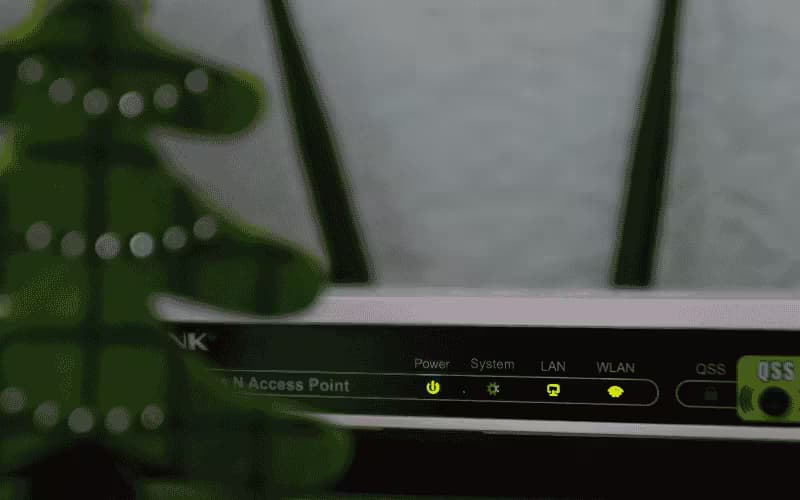
Our digital security check includes:
Password and 2FA setupAntivirus and device securityWiFi and account securityScam and phishing awareness
Professional Digital Security Check
We find weaknesses and help you fix them.
We check your passwords, 2FA, antivirus, WiFi and social/email security. We then set up what’s missing and show you how to stay safe.
Password audit
2FA setup
Antivirus
WiFi security
Account check
Scam awareness
Fixed price. Same-day available. No fix, no fee.
Built for Awareness. Engineered for Action.
NexusByte reviews your passwords, 2FA, antivirus, WiFi, and account settings and gives you a clear plan to improve security.
Passwords and 2FA
Antivirus and updates
WiFi security
Account security
Every security check leaves you with clear next steps and better protection.
Security You Can Trust. Guaranteed.
We protect your network and data with proactive monitoring, clear pricing, and fast response when it matters most.
Free Security Assessment

Fixed Quote

Proactive Protection

Rapid Response

Your infrastructure stays secure, compliant, and monitored around the clock.
Request a Free QuoteOur Digital Security Check Process
A security check is a structured review of your accounts, devices and network, with the fixes made during the visit.
1. Review your accounts
2. Review your devices
3. Review your network
4. Fix, then report
Our Digital Security Check Services
Password & 2FA
Strong passwords and two-factor authentication.
Includes:
- Password check
- 2FA enable
- Manager advice
- Guide
Email & Account Security
Secure email and important accounts.
Includes:
- Recovery
- 2FA
- Alerts
Scam & Phishing
Recognise and avoid scams and phishing.
Includes:
- Signs
- What to do
- Report
- Recovery
What Is a Digital Security Check?
A digital security check is a hands-on review of your passwords, two-factor authentication, antivirus, WiFi and online accounts, carried out by an experienced technician. It suits Sydney households and small businesses who want confidence they are protected from hackers and scams, without needing enterprise security tools or jargon-heavy reports.
Think of it as a health check for your digital life. Rather than selling you software, we look at how you actually use your devices and accounts, find the weak points a scammer would exploit and fix them on the spot where possible.
The check works for a single laptop and phone or a whole small office. We come to you or connect remotely, and everything is explained in plain English as we go.
It is a popular service for families helping older parents stay safe online, sole traders whose business runs entirely through one laptop and one email address, and anyone who has just been through a breach notification and wants to know what it actually means for them.
Warning Signs You Should Book a Security Check
Most people book a security check after a scare. You do not need to wait for one, but these are the situations where acting quickly matters most:
- You clicked a link in a suspicious text or email and entered details before realising
- Friends or contacts received strange messages that appear to come from you
- You use the same password across email, banking and shopping accounts
- Your computer has become slow, shows unexpected pop-ups or has unfamiliar programs
- Your WiFi router still has the password printed on the sticker and has never been updated
- You have been notified your details appeared in a data breach
If any of these apply, the earlier we look, the better. A compromised email account, in particular, is a master key: whoever controls it can reset passwords for almost everything else you own.
What We Actually Check, Step by Step
A thorough security check covers accounts, devices and the network they share. On accounts, we review password strength, set up a password manager if you want one, enable 2FA on email and other important logins, and make sure recovery details point somewhere you still control.
On devices, we run a malware scan, confirm antivirus is present and current, and apply outstanding updates. On your network, we check the router: admin password, firmware, encryption settings and whether anything unexpected is connected. Routers are the most neglected device in most homes and offices, yet everything you do online passes through them. Where the review turns up more than a check-up can fix, our privacy and security hardening service takes the network the rest of the way.
We finish with practical scam awareness, tailored to what you actually receive. Knowing the telltale signs of phishing, and exactly what to do if you slip up, is often worth more than any single technical fix — and for a whole team, that becomes security awareness training with simulated phishing. Businesses that outgrow this level of protection can step up to endpoint protection and EDR or dedicated email security and filtering.
How Long Does a Digital Security Check Take?
It depends on how many devices and accounts are involved. A single computer, phone and email account is a shorter visit; a home with several family members' devices, or a small office with shared logins, naturally takes longer because each account needs individual attention.
We quote a fixed price up front once we understand the scope, with no hidden fees, and same-day service is available across Sydney when something urgent has happened. The work follows our usual process: assessment and quote, a scheduled visit or remote session, the service itself, then testing and handover so you can see everything working.
Our no fix, no fee guarantee applies, so you are not paying for a visit that does not deliver.
Staying Secure After the Check
Security is a habit, not a one-off purchase. Before we leave, you get a short list of routines that keep the protection working: let updates install, back up what matters, pause before acting on urgent-sounding messages and check in on your accounts occasionally.
For small businesses, a periodic review makes sense because staff, devices and threats all change. Some clients treat the check as a first step towards formal standards like the Essential Eight framework, which insurers and larger customers increasingly ask about.
Ready for peace of mind? Book a security check online and tell us what prompted the concern; it helps us focus the visit on what matters most. If something suspicious is happening right now, mention that too, because those bookings get treated with urgency.
Our Insights
Latest Networking & Cybersecurity & Technology Insights


Client Reviews
What clients say about our network and security work
Three of the reviews our clients have left on Google. The full set, as written, is on our reviews page.
Amazing service by Laith. Clear up front costing, really helpful to work with, and thorough in getting the job done right. I'd definitely use him and NexusByte again.
We have been working with NexusByte to manage our business IT infrastructure, and the experience has been excellent. Their team is highly knowledgeable, responsive, and professional in handling both routine maintenance and unexpected technical issues.
It took Laith only minutes to find the problem with my laptop and address it so that I could go safely back to work. I cannot recommend Laith and NexusBytes enough.
FAQs
Frequently Asked Questions
What is a digital security check?
Do you help with passwords and 2FA?
Can you check my home or business devices?
Get in touch
How exposed are you, really?
Book a digital security check and a technician will review your accounts, devices and network, fix most issues on the spot and leave you a short written report.
Book onlineNot ready to book? Ask a question and we reply within two business hours.