

Proactive Monitoring | 24/7 System & Server Monitoring
The cheapest IT problem is the one that never becomes an outage. NexusByte's proactive monitoring gives Sydney businesses round-the-clock visibility over the systems they depend on, with 24/7 IT monitoring that watches your servers, workstations and critical systems continuously and catches developing faults before they can interrupt your business day.
Regular server health checks track the vitals that matter — uptime, performance, disk space and critical services — while workstation monitoring keeps an eye on every endpoint across your organisation. When a threshold is breached or a service fails, automated alerts flag it immediately, so nothing quietly deteriorates in the background.
For your business, that means fewer emergencies and far more predictability. We track faults and trends as they emerge, then help you resolve issues while they're still small — long before staff notice anything wrong. It's the peace of mind that comes from knowing someone is always watching over your infrastructure, day and night.

Our proactive monitoring includes:
Trusted Proactive Monitoring
We watch your systems so you don’t have to.
Our monitoring runs 24/7: we check server and workstation health, disk space, services and connectivity. When something looks wrong, we alert you and can respond before it becomes a crisis.
Catch issues early. Reduce downtime. Fixed price monitoring.
Built for Business. Engineered for Uptime.
NexusByte delivers managed IT support that keeps Sydney businesses secure, efficient, and operational.
Every IT support plan is tailored to your business size, industry, and growth goals.
IT Support You Can Count On. Guaranteed.
We keep your business running with responsive, professionally managed IT support and no hidden costs.




Your systems stay secure, monitored, and supported by a team that responds when you need it.
Request a Free QuoteOur Proactive Monitoring Process
Monitoring is only useful if someone acts on what it finds. Here is how we set it up and what happens when it alerts.
Our Proactive Monitoring Services
24/7 System Monitoring
Continuous monitoring of servers and key systems.
Includes:
- Uptime
- Services
- Performance
- Alerts
Server Health Checks
CPU, memory, disk and service health.
Includes:
- CPU and RAM
- Disk space
- Services
- Logs
Workstation Health
Monitor workstations and endpoints.
Includes:
- Endpoints
- Updates
- Antivirus
- Status
Automated Alerts
Alerts when thresholds are breached or services fail.
Includes:
- Alert rules
- Email/SMS
- Escalation
- Ack
Reporting & Trends
Regular reports and trend analysis.
Includes:
- Reports
- Trends
- Capacity
- Recommendations
Response & Remediation
Respond to alerts and fix issues quickly.
Includes:
- Triage
- Remote fix
- Onsite if needed
- Resolve
What Is Proactive Monitoring?
Proactive monitoring is round-the-clock automated supervision of your servers, systems and workstations — watching uptime, services, performance and overall health, and raising an alert the moment something drifts out of range. It is designed for Sydney businesses that depend on their systems daily and would rather prevent outages than recover from them.
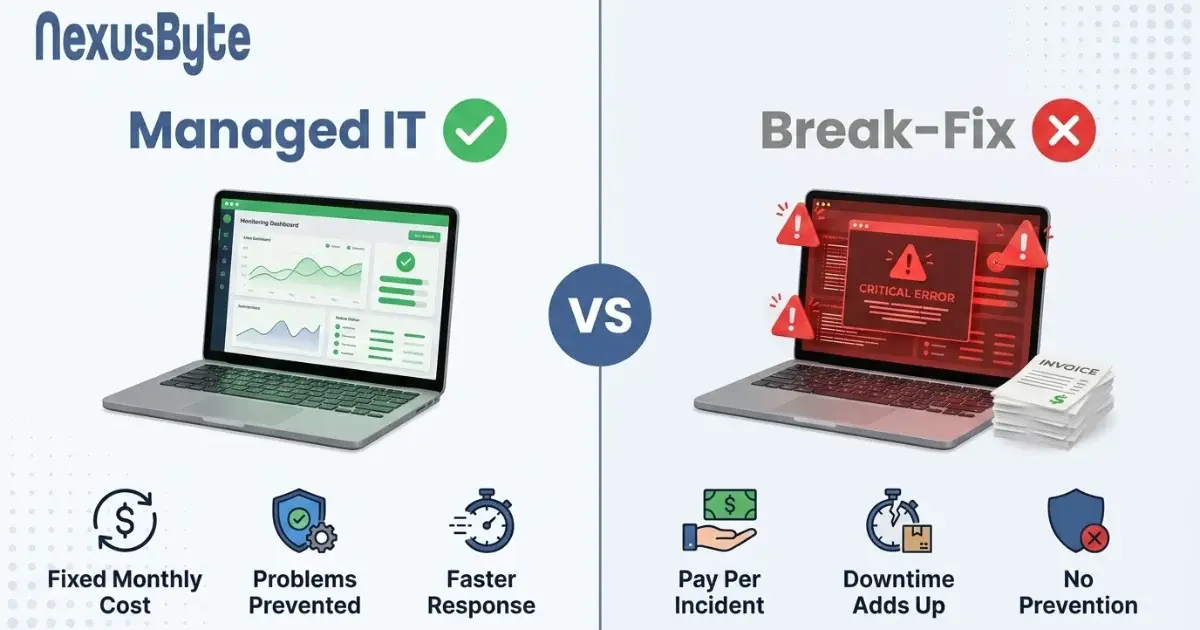
The alternative is the break-fix cycle: nobody looks at a server until it stops, and the first symptom anyone notices is staff unable to work. With monitoring in place, the first symptom is an alert to a technician — often well before users would have felt anything. It is the difference between being told a disk is filling up and discovering it is full in the middle of an important job.
Monitoring suits any organisation where downtime has a real cost — professional firms that bill by the hour, retailers with point-of-sale systems, and any office where the server going down means the whole team stops.
What Do Server and Workstation Health Checks Look At?
Health checks are only useful if they measure the right things. Ours are split across the two places problems start: the servers your business runs on, and the workstations your staff use every day.
Server health checks
On servers we track CPU and memory load, disk space, the state of critical services and what the logs are saying. Logs matter more than most people realise — hardware and software usually complain in writing well before they fail outright.
Workstation and endpoint health
On endpoints we watch update status, antivirus status and general health across the fleet. A single laptop missing months of updates is a quiet risk to the whole network — the gap our security maintenance and managed patching service exists to close — and without endpoint monitoring nobody finds it until it causes trouble. Trends matter here too: a fleet slowly falling behind on updates tells you something about process, not just individual machines.
How Do Automated Alerts and Escalation Work?
Monitoring without a response plan is just a dashboard nobody reads. We configure alert rules with sensible thresholds for your environment, so alerts mean something — you are not drowning in noise about routine blips.
When a threshold is breached or a service fails, alerts go out by email or SMS, with escalation if the first alert is not acknowledged. Every alert is triaged: many issues can be fixed remotely on the spot, and where hands-on work is genuinely required, a technician attends on site.
That acknowledgement step is worth highlighting. Escalation exists precisely so an alert at an awkward hour does not sit unseen — the process keeps pushing until a human takes ownership. Alert rules are tuned over time as well: if a threshold proves too sensitive or not sensitive enough, it gets adjusted. Good monitoring is maintained, not set and forgotten.
Which Problems Get Caught Before They Become Outages?
Most outages are preceded by warning signs that automated monitoring picks up easily:
- Disk space steadily shrinking until a server can no longer write data
- A critical service that has stopped and not restarted itself
- Memory or CPU usage trending upward week after week
- Endpoints falling behind on updates or running without working antivirus
- Capacity limits approaching — flagged in trend reports before they bite
Catching these early is the whole point: a disk-space warning is a scheduled clean-up, while a full disk is an outage. Trend reporting turns monitoring into planning too — regular reports show where capacity is heading and come with plain-English recommendations, so hardware upgrades become a budgeted decision rather than an emergency purchase.
How Much Does 24/7 Monitoring Cost — and Where Do You Start?
Cost depends on the size and shape of what we are watching: how many servers and workstations, how broad the alerting needs to be, and whether you want reporting and remediation bundled in. Whatever the scope, pricing is fixed with no hidden fees, so a busy month of alerts never inflates your bill. Arrangements scale as you grow — adding a server or a handful of new staff does not mean renegotiating from scratch.
Monitoring also works best alongside its natural partners. It tells you the moment something breaks; backup monitoring confirms your safety net is actually working, and data backup and transfer makes sure there is something to fall back on. For the everyday questions your staff raise, IT helpdesk support rounds out the picture.
Getting started is simple: we assess your environment, agree what should be monitored and quote a fixed price. Contact us to arrange an assessment, or browse the rest of our business IT support services to see how monitoring fits into a broader support arrangement.
Latest Business IT Support & Technology Insights




What businesses say about our IT support
Three of the reviews our clients have left on Google. The full set, as written, is on our reviews page.
Highly recommended, they go out of their way to provide old fashioned service
It took Laith only minutes to find the problem with my laptop and address it so that I could go safely back to work. I cannot recommend Laith and NexusBytes enough.
Laith was amazing! Very responsive, communicates properly, provides regular updates and explains everything so thoroughly! Will definitely be using your services in the future!
Frequently Asked Questions
Catch the failure before it becomes an outage
Book a monitoring setup and we will install the agent on your servers and workstations, tune the alerts to your environment and respond to what they find.