

Computer Maintenance | PC, Mac & Laptop Maintenance Services
Computers rarely fail without warning; they slow down, clutter up and fall behind on updates first. NexusByte's computer maintenance service in Sydney catches those problems early, keeping your PC, Mac or laptop running fast and reliable for home users and businesses that would rather prevent faults than pay to fix them.
A thorough tune up covers the essentials that quietly wear a machine down: junk file clean-up, software and security updates, hard drive health checks and genuine performance optimisation. It's the same disciplined PC maintenance approach whether we're looking after a single family laptop or an office full of workstations.
Regular laptop and desktop maintenance extends the life of your device and helps you avoid costly repairs down the line, a small habit that pays for itself. With same-day service available across Sydney, keeping your computer in top shape has never been simpler. Book your next maintenance visit with the NexusByte team.
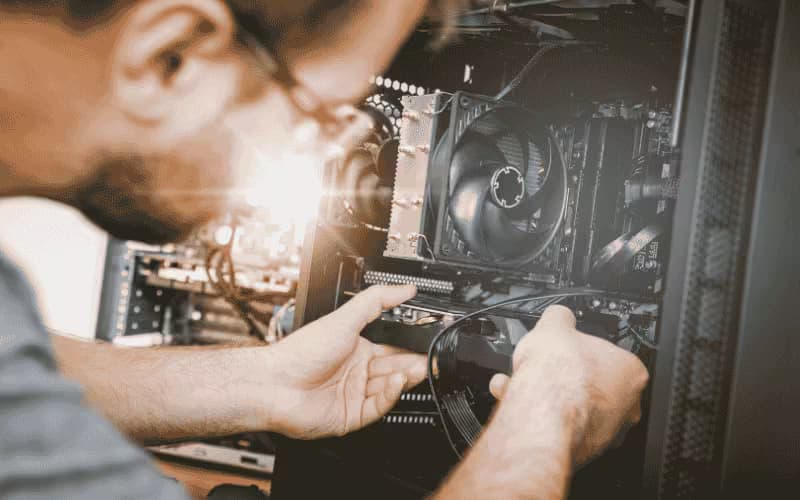
Our computer maintenance includes:
Junk file and bloatware removalSoftware and security updatesHard drive health checkPerformance optimisation
Professional Computer Maintenance
Regular maintenance keeps your computer fast and secure.
We remove unwanted programs, free up space, update Windows or macOS, run antivirus scans and check hardware health.
Disk cleanup
Update OS and drivers
Antivirus and security
Hard drive check
Battery health (laptops)
Dust and cooling check
Ideal every 3–6 months. Fixed price, no fix no fee.
Built for Performance. Engineered for Longevity.
NexusByte keeps your PC, Mac, or laptop running fast and reliable with regular maintenance and optimisation.
Clean-up and optimisation
Updates and security
Disk health checks
Startup tuning
Same-day available
Every maintenance visit extends the life of your device and helps avoid costly repairs.
Maintenance you can plan around
Dust, worn thermal paste, a full drive and years of leftover software slow a machine long before it fails. A maintenance visit is quoted up front, and the free check tells you whether anything more serious is on the way.
Free Diagnostic

Fixed Quote

No Fix, No Fee

Same Day Service

You get a clear list of what was done and what to watch for next.
Request a Free QuoteOur Computer Maintenance Process
A maintenance visit is a health check with the fixes done on the spot, not a report you have to act on later.
1. Check the hardware first
2. Update and clean the software
3. Restore performance
4. Confirm the backup and advise
Our Computer Maintenance Services
Software Clean-Up
Remove bloatware, junk files and unused programs.
Includes:
- Uninstall bloatware
- Temp file cleanup
- Startup optimisation
- Disk space
Updates & Security
Install OS updates, drivers and security patches.
Includes:
- Windows/Mac updates
- Driver updates
- Antivirus scan
- Security settings
Hard Drive Health Check
Check SSD and HDD health to prevent failure.
Includes:
- SMART check
- Bad sector scan
- Backup reminder
- Upgrade advice
Performance Optimisation
Speed up boot time and application performance.
Includes:
- Startup items
- Background apps
- RAM usage
- Optimisation
Laptop Maintenance
Battery check, cooling and dust for laptops.
Includes:
- Battery health
- Vent cleaning
- Thermal check
- Care advice
Backup Check
Verify backups and set up automated backup.
Includes:
- Backup verification
- Cloud backup
- Local backup
- Schedule setup
What Is Included in Computer Maintenance?
Computer maintenance is a preventative service that keeps a PC, Mac or laptop fast and reliable: junk file and bloatware removal, operating system and security updates, hard drive health checks, backup verification and performance optimisation. It's for Sydney homes and businesses that depend on their computers daily and would rather prevent failures than recover from them.
Think of it as a car service for your computer. Nothing is necessarily 'broken' on the day, but small issues — a nearly full disk, a drive logging early errors, an antivirus that quietly stopped updating months ago — are found and dealt with before they turn into downtime or data loss.
NexusByte maintains Windows PCs, Macs and laptops alike, as a one-off tune-up or a scheduled routine, alongside our full range of computer repair services.
How Often Should You Service a Computer?
There's no single interval that suits everyone, because it depends on how hard the machine works. A business computer in daily use accumulates clutter, pending updates and drive wear far faster than a lightly used family laptop. Environment counts too — a laptop used on beds and couches breathes in far more dust than a desktop sitting on a stand, and blocked vents are how thermal problems begin.
A reasonable rule of thumb: if you can't remember your last tune-up, you're due. Machines more than a few years old benefit most, because that's when drives, batteries and cooling systems start showing their age. Many business owners simply put maintenance on a recurring schedule so it happens automatically, the same way vehicle servicing does.
Signs Your Computer Is Overdue for a Tune-Up
Computers rarely fail without dropping hints first. These are the ones worth acting on rather than living with:
- Boot times measured in minutes rather than seconds
- Constant low disk space warnings, or a drive that's been nearly full for months
- Fans running loudly even when you're barely doing anything
- Update prompts you've been dismissing since last year
- Random freezes, crashes, or programs that take an age to open
The most important warning sign is the one you can't see: drive health. A SMART check and bad sector scan can reveal a hard drive on its way out while it still appears to work — which is exactly when you want to know. Caught early, it's a routine drive replacement with your files intact; caught late, it's a data recovery job with no promises.
Can Maintenance Really Prevent Expensive Repairs?
Often, yes — because most 'sudden' computer failures aren't sudden at all. The overheating that eventually kills components starts as blocked vents and tired thermal paste. Data loss starts as a drive quietly logging errors for months. Security incidents start as patches that never got installed. Maintenance interrupts each of those stories at the cheap end.
The clean-up work compounds as well. Removing bloatware and trimming startup items doesn't just make the machine feel quicker today — it cuts the background load that keeps fans spinning and drives busy, which means less heat and less wear over the machine's whole life.
It's also where honest upgrade advice comes from. If a health check shows the real bottleneck is an ageing hard drive or too little memory, we'll say so — an SSD or RAM upgrade is frequently the difference between replacing a computer and happily keeping it for years. And because every visit includes checking that your backups actually exist and actually restore, you're covered even for the failures nobody can predict.
What Happens During a NexusByte Maintenance Visit?
It begins with an assessment and a fixed quote — no hidden fees, so you know the cost before any work starts. From there we service the machine onsite, at our workshop, or by remote support where the work suits it.
The service itself covers software clean-up and bloatware removal, operating system and security updates, drive health testing, startup and performance optimisation, and — for laptops — a battery health check with vent cleaning and a thermal check. Everything ends with testing and a proper handover, including plain-English notes on anything we found and care advice worth following.
Same-day service is available across Sydney, and there's a no fix, no fee guarantee behind the work. Book a maintenance visit for a single machine, or talk to us about keeping an entire office fleet healthy on a schedule — the earlier a computer gets its first tune-up, the more of its life you get to keep.
Our Insights
Latest Computer Repairs & Technology Insights





Client Reviews
What customers say about our repair work
Three of the reviews our clients have left on Google. The full set, as written, is on our reviews page.
Laith was reliable, helpful and professional - will be recommending.
The entire process was an A+ experience from the moment the call was answered, through to the diagnostic, repair and return of the damaged laptop. Laith is fantastic. In every element of his service and support.
Highly recommended, they go out of their way to provide old fashioned service
FAQs
Frequently Asked Questions
What is included in computer maintenance?
How often should I get computer maintenance?
Do you maintain both PCs and Macs?
Can maintenance prevent future repairs?
Get in touch
Keep your computer fast before it breaks
Book a maintenance visit and we will check the hardware, clean up the software, confirm your backup and tell you honestly if the machine is near the end of its life.
Book onlineNot ready to book? Ask a question and we reply within two business hours.