

Google Workspace Support | Gmail, Drive & Workspace Admin
When your whole business runs on Google, small glitches ripple fast. NexusByte offers Google Workspace support to Sydney businesses that keeps Gmail, Drive, Docs, Sheets and Meet humming: expert setup, ongoing admin and rapid troubleshooting from a local team that genuinely knows the platform inside and out.
Day to day, we troubleshoot Gmail and Calendar issues, configure Drive sharing and permissions correctly, and take care of user and licence management through the admin console. Moving from another platform? We plan and run your Google Workspace migration carefully, bringing email and data across so your team barely notices the switch.
It's support built for organisations that want Workspace managed properly without hiring in-house IT. Pricing is fixed, same-day support is available, and every fix comes with a straight answer about what happened and how to avoid it next time, so collaboration keeps moving and your Google environment stays in safe hands.

Our Google Workspace support includes:
Trusted Google Workspace Support
We help you get the most from Google Workspace.
We support Gmail, Drive, Docs, Sheets, Meet and Calendar. We manage users and licenses, fix sync and sharing issues, and assist with migration from other platforms.
Fixed price. Same-day when needed. We know Google Workspace.
Built for Business. Engineered for Uptime.
NexusByte delivers managed IT support that keeps Sydney businesses secure, efficient, and operational.
Every IT support plan is tailored to your business size, industry, and growth goals.
IT Support You Can Count On. Guaranteed.
We keep your business running with responsive, professionally managed IT support and no hidden costs.




Your systems stay secure, monitored, and supported by a team that responds when you need it.
Request a Free QuoteOur Google Workspace Support Process
Workspace support covers both the admin console nobody wants to log into and the everyday Gmail and Drive questions your team has.
Our Google Workspace Support Services
Gmail & Calendar
Gmail and Google Calendar setup and troubleshooting.
Includes:
- Gmail config
- Calendar
- Sync
- Fix
Drive & Docs
Google Drive, Docs and collaboration.
Includes:
- Drive
- Sharing
- Docs/Sheets
- Permissions
User & License Management
Add users, assign licenses and manage admin.
Includes:
- Users
- Licenses
- Admin console
- Policies
Migration to Workspace
Migrate email and data to Google Workspace.
Includes:
- Planning
- Migration
- Data
- Verify
What Is Google Workspace Support?
Google Workspace support is hands-on help with Gmail, Calendar, Drive, Docs, Sheets and Meet, plus the Admin console behind them — covering setup, troubleshooting, user and licence management, and migrations. It's for Sydney businesses that run on Workspace but have no dedicated administrator keeping accounts, sharing and billing in order.
The scope ranges from fixing one stubborn Gmail sync problem to acting as your ongoing Workspace admin — adding and removing users, assigning licences, applying policies through the admin console and untangling Drive permissions when sharing has drifted out of control. Same-day support is available when something is actively blocking your team.
Troubleshooting is a big part of the work: calendars that show different events on different devices, a Gmail account that stopped syncing after a security change, a shared folder that half the team suddenly can't open. We diagnose whether the fault sits with the account, the device or the admin settings, then fix it at the level where it actually lives.
Signs You've Outgrown DIY Workspace Admin
Most businesses manage their own Google Workspace happily at three staff and painfully at fifteen. These are the signs we see when it's time to hand the admin side over:
- Former staff still have active accounts — a security exposure you're also paying licences for
- Files shared as 'Anyone with the link' because setting proper permissions felt too fiddly at the time
- One person holds super-admin rights, and nobody is entirely sure of the password
- Nobody can say how many licences you pay for versus how many you actually use
- Every new starter's setup is improvised from memory rather than a checklist
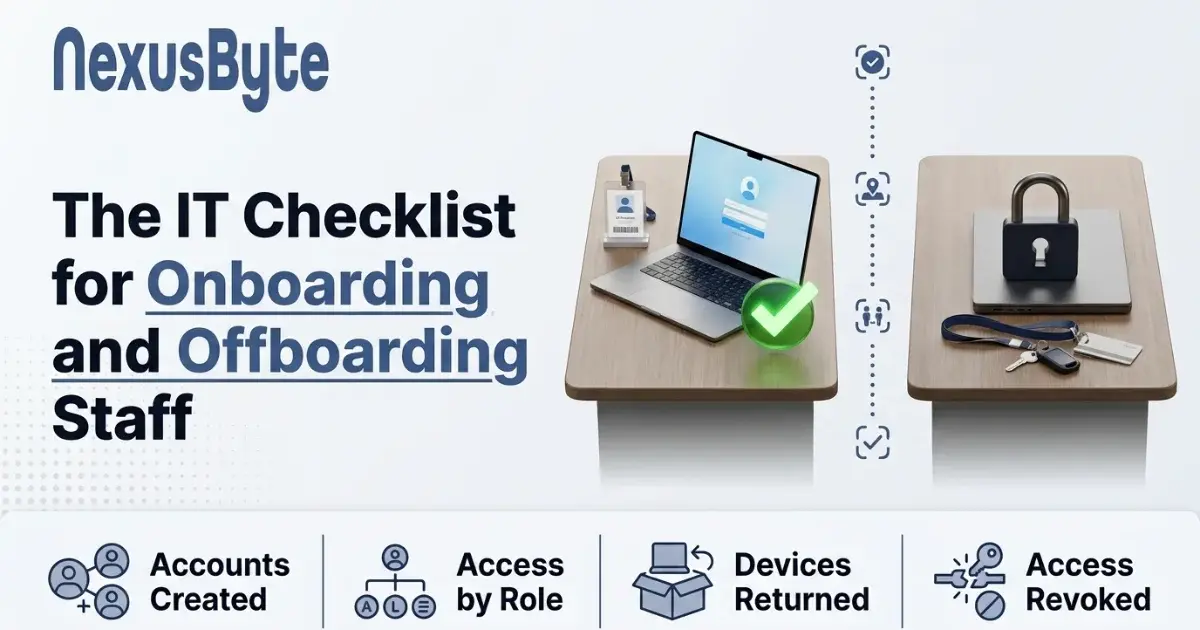
None of these is an emergency on its own; together they compound. We tidy the admin console, document proper onboarding and offboarding routines, and put licence management on a footing where the numbers finally reconcile.
How Does a Migration to Google Workspace Work?
A Workspace migration is an organisational project, not just a mailbox copy. We start with a stocktake of what's moving — mail, contacts, calendars and files — then map old accounts to new ones, stage the data copy while your existing system keeps running, and time the DNS cutover to a quiet window so the switch is invisible to your customers. Verification closes the project: counts checked, sharing re-tested, stragglers chased down.
For your staff, a well-run migration is almost boring: they leave on Friday using the old system and arrive Monday with their mail, calendar and files waiting in Workspace. The drama in badly run migrations comes from skipped verification and rushed cutovers — the two corners we refuse to cut.
Reconfiguring individual computers and phones along the way overlaps with our email setup service, so the same visit handles both. And if you're still weighing Google against Microsoft before committing, we support both platforms — our Microsoft 365 support page shows the other side of that comparison, which keeps our advice platform-neutral.
Getting Drive Sharing and Permissions Right
The single biggest structural mistake in small-business Workspace setups is storing team files in individuals' My Drive. Everything a person owns becomes an administrative headache the day they resign, and access tends to be granted ad hoc, one share at a time, until nobody can map who sees what. Shared drives fix this by making the team — not the person — the owner.
A proper structure organises shared drives around how your business actually works, applies permissions by group rather than by individual, and sets a deliberate policy for external sharing instead of leaving it to habit. We also run Meet and Chat setup and training as part of Workspace support, because collaboration tools only pay off when people use them the same way. Worth noting too: Drive holds your working files, but critical business data still deserves an independent copy — our data backup and transfer service can set that up alongside your Workspace.
How Much Does Google Workspace Support Cost in Sydney?
Pricing follows the shape of the engagement: how many users you have, whether you need a one-off fix or ongoing admin support, the scope of any migration (number of mailboxes and volume of Drive data), and whether staff training is part of the brief. A ten-minute sharing fix and a forty-user migration sit at very different ends of that spectrum.
We quote fixed prices after a short assessment — no hidden fees, no surprises on the invoice. Book a session online or contact us with a description of where your Workspace is hurting, and we'll tell you honestly what it needs.
Latest Business IT Support & Technology Insights




What businesses say about our IT support
Three of the reviews our clients have left on Google. The full set, as written, is on our reviews page.
Highly recommended, they go out of their way to provide old fashioned service
It took Laith only minutes to find the problem with my laptop and address it so that I could go safely back to work. I cannot recommend Laith and NexusBytes enough.
Laith was amazing! Very responsive, communicates properly, provides regular updates and explains everything so thoroughly! Will definitely be using your services in the future!
Frequently Asked Questions
Get your Google Workspace tidied up and looked after
Book a Workspace review and we will go through users, shared drives, licences and security, fix what is misconfigured and support your team's Gmail and Drive questions from then on.