

Virus & Malware Removal | Home Computer Virus Removal
Suspicious pop-ups, a sluggish laptop, a browser that won't behave — infections rarely announce themselves politely. NexusByte provides professional virus removal for Sydney homes, clearing infected PCs and laptops safely and locking them down so the same thing doesn't happen next month. Same-day service is available when something nasty can't wait.
Our malware removal process is thorough rather than theatrical: we scan the machine, remove every threat we find, update your antivirus and leave you with simple, practical advice for staying safe. Your photos, documents and files are handled with genuine care throughout — this is your digital life, and we treat it accordingly.
Home computer virus removal shouldn't be a gamble, either — if we can't fix it, you don't pay a cent. That no fix, no fee guarantee means you can hand over the laptop, breathe out and let experienced technicians deal with whatever's lurking on it, from adware annoyances to serious infections.
Our home virus removal includes:
Virus and malware scan and removalSpyware and adware removalAntivirus setup and updatesSafe browsing and security advice
Trusted Virus & Malware Removal for Homes
We remove viruses and malware so your family computer is safe again.
We connect remotely or visit your home, run professional scans, remove infections and harden your PC or Mac. We explain what we found and how to avoid it next time.
Virus and malware removal
Spyware and adware
Antivirus setup
Security advice
Same-day service
No fix, no fee
Fixed price. Same-day available. We service all Sydney suburbs.
Built for Your Home. Engineered for Everyday Life.
NexusByte brings professional IT expertise to Sydney households — making your home technology fast, secure, and easy to use.
WiFi & home networking
Smart home setup
Home office & remote work
Family device support
Computer help & repairs
Internet & connectivity
Every home IT job is done to a professional standard so your household technology just works.
Clean-ups you can trust
Pop-ups, a browser that goes somewhere you did not ask for, or a bank that has locked your account are signs of an infection that a free scan rarely clears. We check for free, quote the removal as one price, and show you what was found.
Free Diagnostic

Fixed Quote

No Fix, No Fee

Same Day Service

No fix, no fee: if the computer cannot be cleaned, you pay nothing for the attempt.
Request a Free QuoteOur Virus & Malware Removal Process
Cleaning a home computer safely means removing the infection, checking what it touched and stopping the repeat.
1. Disconnect and look
2. Clean it thoroughly
3. Protect the accounts
4. Stop it happening again
Our Virus & Malware Removal Services
Virus Scan & Removal
Full scan and safe removal of viruses and malware.
Includes:
- Scan
- Remove
- Quarantine
- Verify
Spyware & Adware Removal
Remove spyware, adware and unwanted programs.
Includes:
- Detect
- Remove
- Clean
- Test
Antivirus Setup
Install or update antivirus and real-time protection.
Includes:
- Install
- Update
- Configure
- Scan
Security Hardening
Strengthen Windows or Mac security settings.
Includes:
- Updates
- Firewall
- Passwords
- Advice
Ransomware Assessment
Assess and advise after ransomware or scam attempt.
Includes:
- Assessment
- Recovery options
- Backup check
- Prevention
Family Safety Online
Tips to keep the whole family safe online.
Includes:
- Safe browsing
- Phishing
- Passwords
- Backups
What Is Professional Virus and Malware Removal?
Professional virus and malware removal is a thorough scan, safe quarantine and complete clean-up of an infected computer, carried out without putting your photos and files at risk. It is for Sydney home users dealing with pop-ups, fake warnings, ransomware scares or a PC that has suddenly stopped behaving like itself.
It goes well beyond clicking scan in a free antivirus. A proper clean-up removes the infection and its leftovers — hijacked browser settings, rogue extensions, unwanted programs that quietly reinstall the problem — then verifies the machine is genuinely clean before handover.
Your data comes first throughout. Threats are quarantined rather than carelessly deleted, and anything that touches personal files is handled with care.
Speed matters with infections. Malware rarely stays polite: adware invites more adware, and what begins as an annoying pop-up can end with stolen passwords or encrypted files. Acting in the first days almost always means a shorter, simpler clean-up.
How Do You Know Your Computer Is Infected?
Some infections announce themselves loudly; others hide. Warning signs worth acting on:
- Pop-ups, browser redirects or a homepage you never chose
- Fake virus warnings urging you to call a number or pay to fix the problem
- A computer that turned slow almost overnight, fans working overtime
- New toolbars, search engines or programs you did not install
- Contacts receiving odd emails or messages from your accounts
- Antivirus or system updates mysteriously switched off
Silent infections are the more dangerous kind — spyware and adware quietly harvesting passwords and browsing habits while everything looks normal. If the machine merely feels off, that instinct is worth a scan.
Remember that a fake warning is itself an attack: the number on screen connects to a scammer, not Microsoft. Never call it, and never let an unsolicited caller connect to your computer.
What Does a Proper Clean-Up Involve?
We begin with a full scan to identify everything present — the headline virus is often travelling with spyware and adware companions. Threats are quarantined and removed, then we hunt the remnants: startup entries, scheduled tasks, browser extensions and unwanted programs that would bring the whole mess back.
Then comes security hardening, because a cleaned machine with the same weaknesses just gets reinfected. That means operating system and software updates, firewall checks, sensible password advice, and antivirus installed and configured with real-time protection actually switched on.
Finally we verify: restart tests, browser checks and a confirming scan. You also get plain-English advice on what let the infection in — usually an email attachment, a dodgy download or an out-of-date program — and how to keep it out.
Can Virus Removal Be Done Remotely, or Do You Need a Visit?
Many infections can be removed remotely. If the computer starts and can reach the internet, a secure remote support session is often the fastest route to a clean machine, with same-day slots available for urgent cases.
Onsite wins when the situation is heavier: a machine that will not boot, an infection blocking the network connection, or a ransomware event where careful hands-on assessment matters. In those cases we come to you — see our home computer support for how visits work.
After a ransomware or scam incident we assess honestly rather than promise miracles: what was affected, what recovery options exist, whether your backups survived, and what needs to change to prevent a repeat.
Either way, the job follows the same disciplined sequence — assess, quote, clean, verify — so you know what is happening and what it will cost before anything starts.
Staying Protected After the Clean-Up
The single best defence against the worst outcomes is a current backup. Ransomware turns from catastrophe into inconvenience when your photos and documents exist somewhere an attacker cannot reach — our home data backup service sets that up properly.
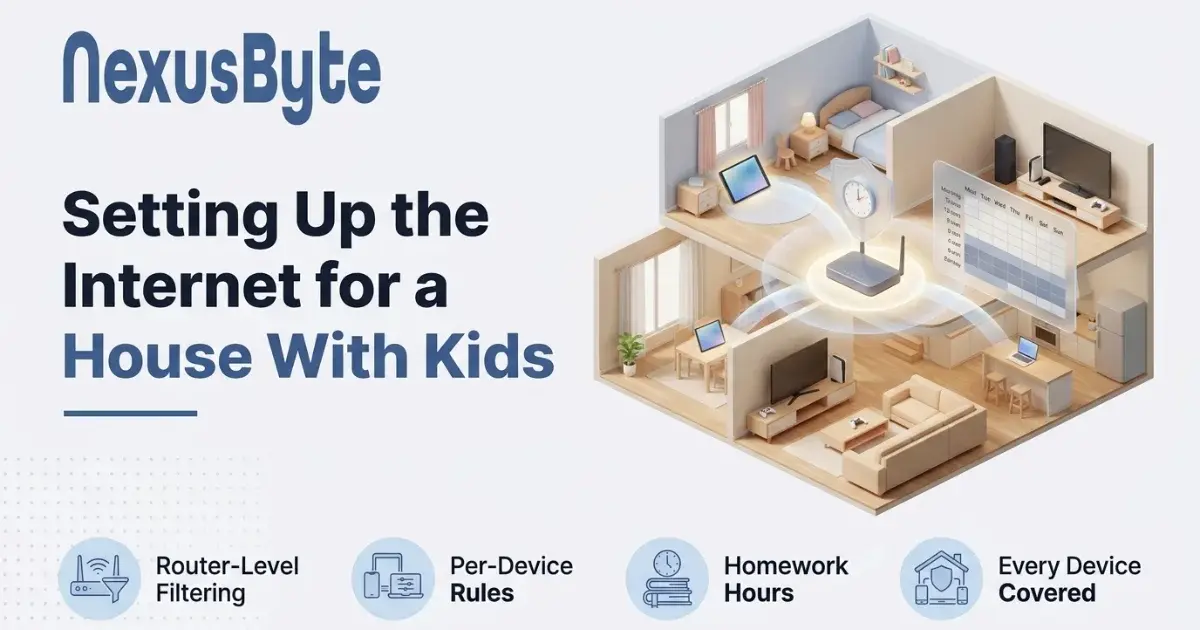
For families, prevention includes the humans as much as the machine: phishing awareness, sound password habits, and parental controls and internet filtering so children are not one curious click from trouble.
Virus and malware removal comes with fixed pricing, no hidden fees and a no fix, no fee guarantee. If your computer is acting strangely, book a same-day session — the earlier an infection is caught, the less it takes with it.
Our Insights
Latest Home IT Support & Technology Insights


Client Reviews
What Sydney households say about our home visits
Three of the reviews our clients have left on Google. The full set, as written, is on our reviews page.
Highly recommended, they go out of their way to provide old fashioned service
Amazing service. Job done, Lovely staff - highly recommend
He fixed my Sonos internet connectivity problem where others had tried and failed. I particularly liked that he contacted me the day after his service call to check that everything was still OK with my system.
FAQs
Frequently Asked Questions
Do you remove viruses from home computers?
Can you do virus removal remotely?
Will you set up antivirus after removal?
Get in touch
Pop-ups, slowdowns or a scam caller got in?
Book a home virus removal and we will clean the computer safely, change the passwords that may have been exposed and set up proper protection so it does not happen again.
Book onlineNot ready to book? Ask a question and we reply within two business hours.