

iPhone and iPad Data Recovery, Sydney and Australia-Wide
A shattered screen, a drop in the pool or an update that never finished — iPhones fail in ways that put years of photos and conversations at risk. NexusByte retrieves data from damaged and dead iPhones and iPads for customers in Sydney and right across Australia.
Modern iOS devices encrypt everything on their flash storage, which changes what recovery can achieve. Where a device is damaged but its passcode is known, there is often a genuine path back to your data. Where a device is locked and the passcode is lost, we will tell you plainly that Apple's encryption generally makes recovery impossible, rather than selling you false hope.
Assessments are free, quotes are fixed before work begins, and under our No Fix, No Fee policy an unsuccessful recovery costs you nothing.
Our iPhone data recovery includes:
How We Approach a Damaged iPhone
An iPhone that will not switch on is not necessarily an iPhone whose data is gone. What matters is what happens to it next.
Our first priority is stabilisation. Liquid-damaged phones are treated for corrosion before power ever touches the board, and impact-damaged phones are inspected for component damage rather than being force-restarted. In many cases the goal is board-level work that brings the device back to life just long enough for a complete, passcode-authorised extraction of its contents. Throughout the job we are candid about the role encryption plays: with your passcode, a booting device usually gives up its data; without credentials, a locked iPhone stays locked no matter who is holding it.
It is a patient, methodical way of working, and it exists to give your photos and messages their best possible chance.
Built for Broken iPhones. Engineered for Every Failure Mode.
Whatever put your iPhone or iPad out of action, the odds are we have seen the same failure before.
From a toddler-dunked iPhone to an iPad that died mid-update, our job is getting the memories off the hardware.
Your Data, Protected. Guaranteed.
We safeguard and recover your data with clear pricing and a no-risk promise on recovery work.




Your data stays backed up, secure, and recoverable when you need it most.
Request a Free QuoteThe Data We Aim to Bring Home
Most people come to us for the irreplaceable things: the camera roll, the conversations, the numbers of people they love. That is where our effort goes.
Once extraction is complete, we walk you through what was recovered before any payment is due.
Our iPhone Recovery Process, Step by Step
From first phone call to final handover, here is what happens to your device — whether it arrives over our Sydney counter or by post from anywhere in Australia.
iPhone and iPad Recovery Services
Physically Damaged iPhone Recovery
Drops, crush damage and shattered assemblies that leave a phone unresponsive or refusing to display anything.
Includes:
- Impact and crush damage triage
- Screen-dead device extraction
- Connector and flex repairs
- Micro-soldering board work
- Passcode-authorised data export
Liquid Damage Recovery
Phones and tablets that have met pools, oceans, washing machines and coffee cups — where time and corrosion are the real enemies.
Includes:
- Ultrasonic corrosion cleaning
- Salt water damage treatment
- Power circuit fault repair
- Controlled first power-up
- Full content extraction
Software and Update Failure Recovery
Devices stuck on the Apple logo, looping endlessly or bricked partway through an iOS update or restore.
Includes:
- Boot loop diagnosis
- Failed update rescue
- Storage-full boot failures
- Non-destructive recovery paths
- Data-first repair strategy
Photo and Message Extraction
Targeted retrieval of the content that matters most from a device that is failing, erratic or partially functional.
Includes:
- Camera roll export
- iMessage and SMS retrieval
- Contact and calendar export
- Voice memo and note recovery
- Delivery on secure media

Why Choose NexusByte for iPhone Recovery
- Micro-soldering skills, not just software tools
- Truthful answers about locked devices
- Fixed quotes before any work starts
- No Fix, No Fee protection
- Mail-in service covering all of Australia
- Your private content stays private
Plenty of shops will happily take a deposit on a hopeless job. We would rather earn your trust with a straight answer.
What Is iPhone Data Recovery?
iPhone data recovery is the retrieval of photos, messages, contacts and app data from an iPhone or iPad that will not turn on, has a dead screen, has been through water, or has lost data to a failed update or accidental erase. It also covers the surrounding copies — an iCloud backup that will not restore, or a computer backup that has stopped being readable.
Being straight about this from the outset: an iPhone is the hardest consumer device to recover data from, by design. Apple built it that way deliberately, and the security that protects your phone if it is stolen protects it just as effectively from you.
Why Is an iPhone So Difficult to Recover?
Every iPhone encrypts its storage in hardware using a key held in the Secure Enclave, a separate chip fused to that specific logic board. The flash memory can be removed and read directly and it produces nothing but ciphertext, because the key never exists outside that chip. Chip-off recovery, which works on cameras and USB sticks, simply does not apply here.
That leaves one realistic route: getting the phone itself running long enough to unlock normally. Where the fault is a battery, charging port, screen or a broken connection, that is often achievable. Where the logic board itself is damaged — heavy corrosion after a swim, or a hard impact — the Secure Enclave may be unreachable, and with it the key.
This is also why nobody can honestly promise recovery from a locked iPhone whose passcode is unknown. Anyone claiming otherwise is either mistaken or not being straight with you.
Where Your Data Probably Already Is
For most people the fastest recovery has nothing to do with the broken phone. iPhones sync more than their owners realise, and checking these costs nothing:
- iCloud Photos — sign in at iCloud.com from any computer and check what is there before assuming the worst.
- iCloud Backup — a backup usually runs overnight on charge and Wi-Fi, so the most recent one may be only hours old.
- A computer backup — an old Finder or iTunes backup on a home Mac or PC is a frequent and forgotten lifeline.
- Messages in iCloud — often enabled at setup, which means conversations survive the handset.
- WhatsApp — keeps its own backup in iCloud on a separate schedule from Apple's.
Where a backup exists but will not restore, that is a solvable problem in itself — see iTunes and Finder backup recovery for corrupted, encrypted or partially written backups.
What Should You Do With a Damaged iPhone?
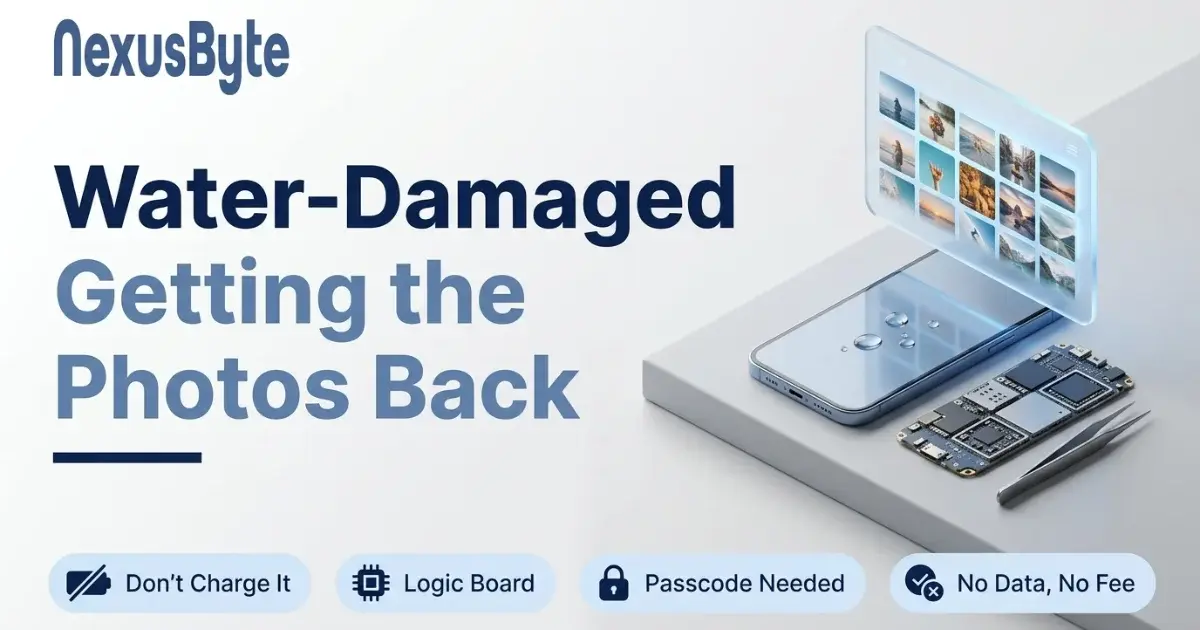
- If it has been in water, power it off and leave it off. Do not charge it — that is what turns a wet phone into a dead one.
- Do not accept an Apple replacement until the data is off. A swapped phone is gone, along with everything on it.
- Do not restore or erase it in an attempt to make it start. Either step ends the recovery.
- Have the Apple Account password and passcode ready — without them an intact phone stays sealed.
What Can Realistically Be Recovered?
Phones that still power on, even with no working display, have the best outcomes — the data is intact and the obstacle is access. Phones dead from a charging or battery fault are frequently revivable for long enough to extract everything. Water-damaged phones vary case by case and depend on how quickly they were switched off. Phones with catastrophic board damage, or locked phones with an unknown passcode, generally cannot be recovered at all.
Assessment is free and honest. You get a clear answer on which of those categories your phone falls into before you spend anything, and if nothing can be recovered there is no charge.
Latest Data Management & Recovery & Technology Insights





What clients say about trusting us with their data
Three of the reviews our clients have left on Google. The full set, as written, is on our reviews page.
Laith and Natalie went above and beyond to help me with my repair/upgrade, and looked for the most cost effective options to suit my needs. They were both very communicative, knowledgeable and super flexible with pick-ups times.
The entire process was an A+ experience from the moment the call was answered, through to the diagnostic, repair and return of the damaged laptop. Laith is fantastic. In every element of his service and support.
We have been working with NexusByte to manage our business IT infrastructure, and the experience has been excellent. Their team is highly knowledgeable, responsive, and professional in handling both routine maintenance and unexpected technical issues.
Frequently Asked Questions
Photos stuck on a dead iPhone or iPad?
Book an assessment and we will tell you what can be recovered from a device that will not turn on, is water damaged or is stuck in a loop, and what it costs, before you commit.