Managed IT vs Break-Fix: What Each Really Costs
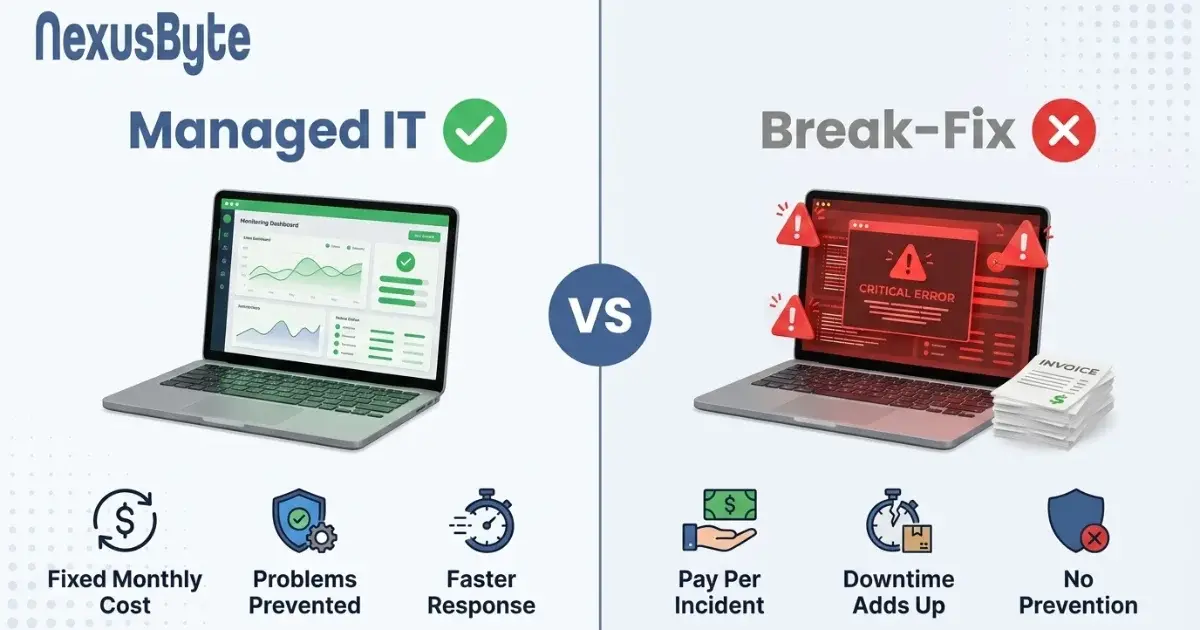
Every business that has outgrown "my nephew looks after it" eventually faces the same decision. You can pay someone by the hour when things break, or you can pay a fixed monthly fee to a provider who looks after everything continuously.
Break-fix looks obviously cheaper. You only pay when something goes wrong, and most months nothing does. Managed services asks you to pay in months when, as far as you can tell, nothing happened at all.
That comparison is wrong, but not for the reason providers usually give. It is wrong because it only counts one of the two costs involved, and the one it ignores is almost always larger.
The number nobody calculates
Work out what an hour of downtime costs you. Not the invoice from the technician — the hour itself.
Take your staff cost for an hour and multiply by the number of people who cannot work. A ten-person business paying an average of sixty dollars an hour loses six hundred dollars for every hour everyone is stopped, before you count a single lost sale. Add the revenue that does not happen: the orders not taken, the quotes not sent, the customers who called and got nobody. Add the work that has to be redone, and the overtime to catch up.
Now compare. A technician at, say, a hundred and fifty an hour who takes four hours to arrive and two to fix has invoiced you three hundred dollars. The same incident has cost you three thousand six hundred in stopped work, and that is before the lost orders.
This is the whole argument, and it has nothing to do with hourly rates. The invoice is a rounding error next to the outage. Once you see that, the question stops being "which is cheaper per hour" and becomes "which produces fewer hours".
The incentive problem
There is an awkward structural issue with break-fix that nobody enjoys naming: your provider earns more when your systems fail.
This is not an accusation of bad faith. Most break-fix technicians are honest and competent. But the model gives nobody any reason to spend unpaid time on the boring work that prevents failure — checking that backups actually restore, applying patches before something is exploited, noticing a disk reporting errors, replacing a switch that reboots itself weekly. That work is invisible, it is nobody's billable hour, and so it does not happen.
The result is a particular pattern: the same problems recurring, each fixed properly enough to end the call but never traced to the cause. A managed agreement inverts this. When the provider is paid a fixed fee regardless, every incident is a cost to them, so preventing incidents is in their direct interest. That alignment, rather than any specific tool, is what actually changes outcomes.
What a managed agreement actually covers
"Managed services" is used loosely, so it is worth being specific about what typically sits inside one:
- Monitoring. Agents watching servers, workstations and network gear, raising an alert when a disk fills, a backup fails or a device stops responding — ideally before anyone notices. Our proactive monitoring service is built around exactly this.
- Patching. Operating systems and applications updated on a schedule rather than whenever someone remembers, which closes the window attackers rely on.
- Backup management. Not merely running backups but verifying them, because an untested backup is a hope. Covered under backup monitoring.
- Helpdesk. A number your staff can call without anyone weighing up whether the problem is worth the callout. This matters more than it sounds — see below.
- Security baseline. Endpoint protection, email filtering, multi-factor authentication and the maintenance that keeps them working — along with structural work like separating guest, payment and staff traffic that break-fix rarely gets around to.
- Asset and licence tracking, so you know what you own, what it costs, and what is out of support — and routine starter and leaver handling, which is where unmanaged businesses most often leave access open.
- Planning. Someone whose job includes telling you the server is three years from retirement rather than discovering it the morning it dies.
What is usually outside: major projects, hardware and licence costs, office moves, and anything on the fixed-price exclusions list. Read that list carefully — it is where agreements differ most.
The hidden cost of hesitation
Here is an effect that surprises people, and it may matter more than the arithmetic.
Under break-fix, every request has a price attached, so staff self-censor. The laptop that takes four minutes to log in does not get reported, because nobody wants to explain a callout for something that still works. The odd error message is ignored. The workaround becomes permanent. Small problems accumulate quietly, and productivity drains away in five-minute increments nobody ever measures.
Under a fixed fee, calling costs nothing extra, so people call. The four-minute login gets fixed, and forty staff-hours a year come back — which is the entire point of having an IT helpdesk people are not afraid to use. That recovered friction routinely exceeds the entire difference in cost between the two models, and it never shows up in a comparison spreadsheet.
When break-fix is genuinely the right answer
Managed services is not universally correct, and a provider who says otherwise is selling rather than advising. Break-fix makes sense when:
- You are very small. Two or three people on laptops and cloud services, with no server and no shared infrastructure, may genuinely not have enough to manage.
- Downtime is cheap for you. If a day without systems is an inconvenience rather than lost revenue, the calculation above changes completely.
- You already have internal capability. Someone technical on staff handling the routine work, needing outside help only for specialist tasks. A co-managed arrangement often fits better than either extreme, with remote IT services covering the overflow.
- Your environment is genuinely simple and static. Little changes, few integrations, nothing custom.
The honest dividing line is roughly this: once you have staff whose day stops when systems stop, and infrastructure that other people depend on, prevention starts paying for itself. Below that, it may not.
Questions to ask before you sign
Agreements vary enormously, and the differences are rarely in the headline price:
- What response times are committed to, and what happens when they are missed? A target with no consequence is a marketing statement.
- What is explicitly excluded, and what gets billed on top?
- Is support during business hours only, and what does after-hours cost?
- Who owns the documentation, the licences and the administrator credentials? If leaving means starting again, you are not a client, you are a hostage.
- How is backup recovery tested, how often, and will you see the results?
- What is the exit process and notice period?
- Is onsite attendance included, or remote only? Some problems cannot be solved down a wire, which is why onsite IT support is worth confirming rather than assuming.
The credential question deserves particular attention. A provider who will not hand over administrative access to systems you own has made switching expensive by design, and that should weigh against them regardless of price.
Making the decision on evidence
You do not need a consultant to work this out. Take last year's IT invoices and add them up. Then list every outage you can remember, estimate the hours lost, and multiply by your staff cost. Add the incidents that recurred. Add the projects that slipped because nobody had time.
If the second number is comfortably larger than the first, you are not saving money on break-fix — you are moving the cost somewhere it does not get invoiced. If it is smaller, break-fix is serving you well and you should keep it.
If you would like that assessed properly rather than guessed at, our Sydney team is happy to look at what you are actually running and tell you plainly which model suits you — including saying so when it is not us. That is what our business IT support service is built around. It is also worth reading our guide to what happens when your internet drops, since connectivity is the outage no support model can fix after the fact.