Wi-Fi for a Large or Multi-Storey Home: Mesh, Access Points or Cabling
The pattern is familiar. The internet plan is fast, the speed test next to the router is fast, and the bedroom upstairs at the far end of the house is a dead zone where video calls freeze and the television buffers. A second router was tried. An extender was tried. Someone suggested mesh. Now there are three boxes with blinking lights and the far bedroom is marginally better and the kitchen, which used to be fine, has gone strange.
Wi-Fi in a big house is a coverage problem, not a speed problem, and it has three real solutions. The point of this article is to help you pick one of them without buying the wrong one first.
Why one router cannot do it
Wi-Fi is radio, and radio weakens with distance and with everything it has to pass through. A modern router in the middle of a single-storey brick-veneer house will usually cover it. The moment the house is large, long, two storeys, or built from the wrong materials, the signal reaching the far rooms is too weak to be useful even though the device still shows a bar or two.
Australian houses are hard on Wi-Fi in specific ways. Double brick, which is most of Sydney's older housing, attenuates signal heavily and a router in the front room can be nearly useless two rooms back. Concrete slabs between floors in a townhouse or apartment block the band that carries the speed almost entirely. Foil-backed insulation, now standard under roofs and in many walls, reflects it. Metal roofs do the same for anything trying to reach the pool house or granny flat. And the router usually lives wherever the NBN connection enters the house, which is the garage or a front corner, rather than anywhere central.
The fix is always the same in principle: more radios, placed where the people are. The three options differ in how those radios talk to each other.
Option one: mesh on wireless backhaul
A mesh system is a set of matching units that share one network name and hand devices between themselves as you move. The units talk to each other wirelessly, which is called the backhaul, so you place one near the modem and the others around the house with nothing but a power point.
Mesh is popular because it is easy, and for a lot of houses it is enough. Its weakness is physics. Each satellite unit has to receive from the base and retransmit to your devices on the same airwaves, so every hop roughly halves the speed available, and a satellite placed in the dead zone it is meant to fix receives a weak signal to begin with. Good systems carry a third radio reserved for backhaul, which helps a great deal and costs more. Cheap two-radio ones deliver slow, inconsistent speed in exactly the rooms you bought them for.
Where it works: single-storey or open-plan houses of ordinary construction, where satellites can sit within a room or two of the base with a clear path. Where it struggles: double brick, concrete floors, long houses where the satellites end up in a chain, and anything that depends on a satellite sitting in the worst spot in the house.
Option two: mesh on Ethernet backhaul
Most mesh systems let you connect the satellites to the base with a network cable instead of relying on the wireless link. That one change removes the halving problem entirely. Each unit now has full speed from the modem at its own location and uses all of its radio for your devices, and the system still gives you the single network name and the hand-off.
This is the sweet spot for a lot of two-storey homes. It needs a cable run from the base to each satellite, which is the part people avoid, but a cable through a ceiling cavity to an upstairs hallway is a short job for a cabler, and a house that is being renovated or built should have those runs put in as a matter of course. If the house already has Ethernet points from a previous owner, they may be usable, and it is worth having them tested before assuming anything.
Option three: wired access points
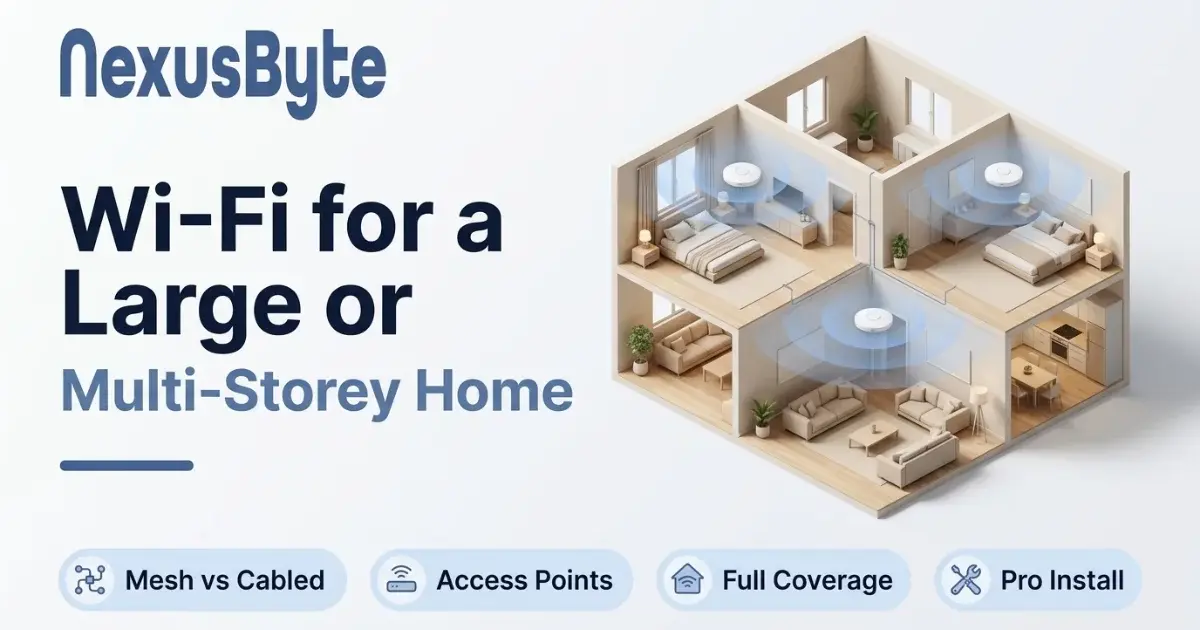
A dedicated access point is a radio and nothing else, mounted on a ceiling or high on a wall, fed by a single network cable that carries both data and power. A separate router handles the internet, and two, three or four access points cover the house. This is how offices, schools and hotels do it, and the same equipment scaled down is what a properly installed large home gets.
The advantages over mesh are real. Ceiling placement puts the radio above the furniture and the people, where it reaches furthest. A controller manages channel and power across all of them so they do not interfere with each other and so devices roam cleanly. The units are small, discreet and out of the way rather than sitting on a shelf, and the whole thing is built to be left alone for years. It costs more, needs a cable to each point, and is not something to configure from a phone app over a weekend. Our router, switch and network installation service does this for homes as well as offices, and it is the option we recommend when the house is large, the construction is difficult, or the household will not tolerate drop-outs.
The two things that are usually a mistake
A range extender is a one-unit wireless repeater, and it has every drawback of wireless-backhaul mesh with none of the management. It halves speed, creates a second network name that devices cling to long after they have walked away from it, and relocates the dead zone rather than removing it. They are cheap and they are nearly always a disappointment.
A second router plugged into the first, or an old router pressed into service upstairs, creates two separate networks that fight each other on the same channels, double up on the private addressing so devices on one cannot see the printer on the other, and hand off badly if at all. If you have a spare router, it can be configured as a plain access point, but it needs to be done deliberately.
How to decide for your house
Three questions settle it.
- Can a cable be run? A house with a roof cavity, a subfloor, or walls that are open during a renovation can have cable run almost anywhere, cheaply. A slab-on-ground apartment with concrete walls often cannot. If cable is possible, the answer is one of the wired options, and the only decision left is mesh-on-Ethernet for simplicity or access points for the best result. If cable is genuinely impossible, a good three-radio mesh is the only choice, and placement becomes everything.
- What is the house made of? Timber frame and plasterboard: mesh will probably manage. Double brick, concrete floors, foil insulation: cabled radios, one per zone, is the only thing that works reliably.
- How many devices, and what are they doing? A couple streaming television is one thing. Two parents on video calls, three children gaming, a dozen smart home devices and four televisions is another, and that house benefits from access points with real management over a consumer mesh that treats every device the same. If the household already suffers from devices dropping off, our piece on why smart home devices keep disconnecting explains the part of that problem that no amount of coverage fixes.
Placement matters more than brand
Whichever you choose, where the radios go decides the result. The base unit should be as central as the cabling allows, not in the garage. Satellites and access points belong high up, in hallways and open areas rather than inside cupboards or behind televisions, and roughly one per floor plus one for any wing or outbuilding. In a two-storey house that usually means one on each floor near the stairwell, and a third if the house is long. A quick walk through the house with a phone running a signal meter, before anything is bought, shows where the weak spots are and tells you how many radios are really needed; a Wi-Fi survey is the first thing an installer does for the same reason.
What an installation involves
A home Wi-Fi installation starts with that survey, then a plan for how many radios and where. Cable is run where it is needed, points are mounted and configured, the old equipment is either repurposed or retired so there is one network and not three, and every device in the house, including the stubborn printer and the doorbell, is moved across and tested from the rooms that used to be the problem. The visit for a typical two-storey house is a few hours, and what the household gets at the end is the thing it was paying the internet provider for all along: the same speed in the back bedroom as beside the modem. The Wi-Fi and home networking page covers how the visit runs and what it costs, and if the house is also where someone works, the home office setup service makes sure the study gets a cabled point rather than relying on radio at all.
The short version: if you can run a cable, run a cable, and while the cabler is there, put the fixed devices on it too; the follow-up piece on what should be cabled and what belongs on Wi-Fi has the list. Mesh on wireless is the compromise for houses where you cannot, and it is a decent one when the system is good and the house is forgiving. Everything else on the shelf is a way of paying twice.