Hybrid Work Is Exposing Gaps in Traditional Business IT Support Models
Hybrid work IT support is the technology support model used to securely manage employees, devices, applications, networks and business data across office and remote locations. Traditional IT support often falls short because it is designed around a central office, while hybrid teams need continuous remote access, device management, cybersecurity and proactive monitoring.
Hybrid work is no longer a temporary arrangement for Australian businesses — it is now the standard way many teams operate. Employees regularly move between the office, home and client sites, and this shift has quietly exposed the limits of business IT support models built for a single office network. At NexusByte, we're increasingly asked to review support arrangements that simply weren't designed for a distributed workforce.
Why Hybrid Work Is Changing the Role of Business IT Support
IT teams and providers used to support one office network, one set of managed devices and one physical perimeter to secure. Hybrid work has changed that entirely. Staff now connect from home Wi-Fi, mobile hotspots and co-working spaces, often using a mix of company-owned and personal devices. Business IT support has to extend across every one of these locations, not just the head office, which means the underlying support model — not just the tools — needs to change.
Where Traditional IT Support Models Fall Short
Office-only IT support
Support models built around an on-site technician or office server room struggle once half the workforce is working remotely on any given day. Issues at home often wait far longer to be resolved than issues in the office.
Reactive break-fix support
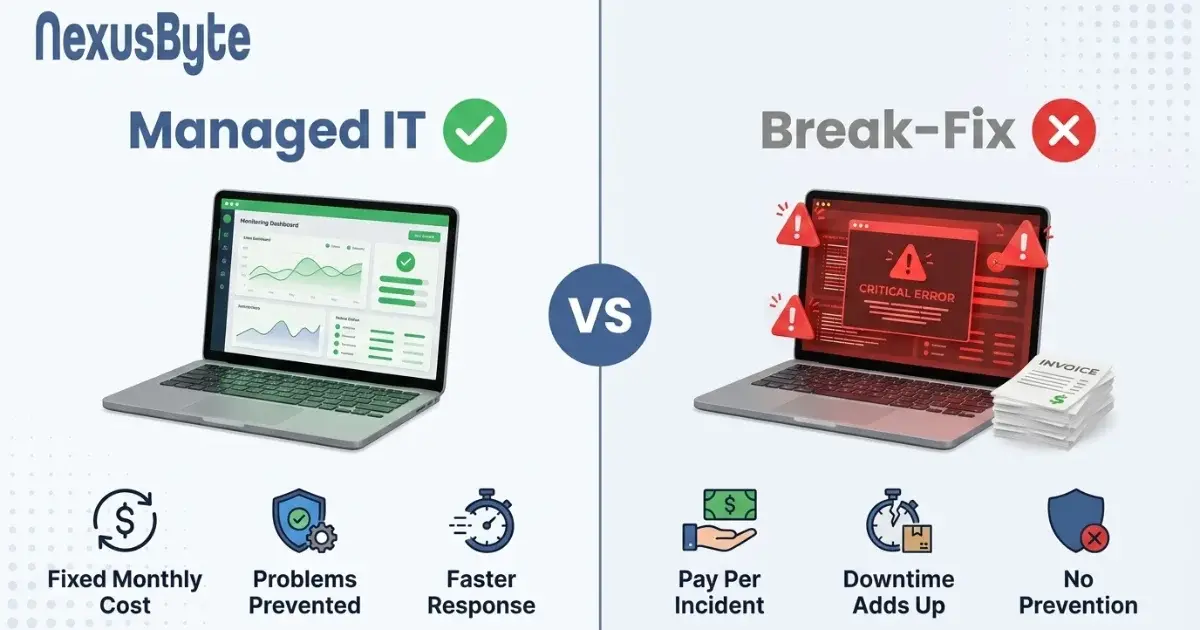
Break-fix arrangements only respond once something has already failed. For hybrid teams, that often means lost productivity while an employee is offline waiting for a callback, rather than the issue being caught before it disrupts their day.
Limited remote troubleshooting
Many traditional providers rely on physical access to diagnose problems. Without strong remote tools, simple issues can take days to resolve when the affected device isn't in the office.
Poor visibility across employee devices
When laptops, phones and home routers sit outside the corporate network, IT teams frequently lose visibility over patch levels, security settings and device health — creating blind spots that are hard to manage retroactively.
Fragmented responsibility between internal teams and vendors
Hybrid environments often involve several vendors covering internet, cloud applications, hardware and security. Without a single point of accountability, issues get passed between providers instead of being resolved quickly.
What Modern Business IT Support Should Look Like
Proactive monitoring
Continuous monitoring of devices, networks and applications allows issues to be identified and resolved before employees notice them, regardless of where they're working.
Remote helpdesk
A responsive remote helpdesk means staff working from home receive the same standard of support as those in the office, without waiting for an on-site visit.
Endpoint and device management
Centralised endpoint management gives IT visibility and control over company and BYOD devices alike, including patching, configuration and security policies, wherever the device is located.
Cybersecurity management
Multi-factor authentication (MFA), secure VPN access and consistent patch management are now baseline requirements for hybrid teams. Aligning practices with the ACSC's enterprise mobility guidance and the Essential Eight gives Australian businesses a practical security baseline for home and office-owned devices.
Cloud support
Most hybrid teams rely on cloud platforms such as Microsoft 365 for email, files and collaboration. Modern business IT support should manage and optimise these platforms directly, not treat them as an afterthought.
Backup and disaster recovery
With data spread across devices and locations, reliable backup and disaster recovery is essential to keep hybrid teams operating through outages, device loss or cyber incidents.
Strategic IT planning
Beyond day-to-day support, hybrid businesses benefit from a provider that helps plan technology investment, aligning IT decisions with growth, budget and risk rather than reacting to problems as they appear.
Traditional IT Support vs Modern Managed IT Support for Hybrid Teams
The table below summarises the practical differences hybrid businesses typically notice between the two models.
| Support Area | Traditional Break-Fix Support | Modern Managed IT Support | Impact for Hybrid Teams |
|---|---|---|---|
| Response model | Reactive – fix issues after they occur | Proactive – monitor and prevent issues | Less downtime, fewer disruptions |
| Remote support | Limited, often office-based only | Remote helpdesk for any location | Employees supported at home or on the road |
| Security | Basic antivirus, ad-hoc updates | MFA, VPN, patching, Essential Eight alignment | Lower risk across distributed devices |
| Monitoring | Minimal or none | 24/7 proactive monitoring | Issues caught before they affect work |
| Device management | Manual, office-network dependent | Centralised endpoint management | Visibility over office, home and BYOD devices |
| Scalability | Difficult to scale with growth | Scales with headcount and locations | Supports growing hybrid teams |
| Strategic planning | Rarely offered | Ongoing IT roadmap and advice | Technology aligned to business goals |
How Australian Businesses Can Assess Their Current IT Support Model
A short internal review can reveal whether your current support model is keeping pace with hybrid work. Consider the following questions:
- Can our IT provider resolve issues remotely, without requiring an office visit?
- Do we have visibility over the security status of every device, including those used at home?
- Is monitoring proactive, or do we only hear about problems after they affect staff?
- Are MFA, VPN access and patching applied consistently across office and remote devices?
- Do we have a tested backup and disaster recovery plan covering hybrid work scenarios?
- Is there one accountable provider, or are issues split across multiple vendors?
When Should a Business Consider Outsourcing IT Support?
Outsourcing to a managed IT provider is worth considering when a business notices any of the following:
- A growing or increasingly distributed team that internal IT resources can no longer keep up with
- Recurring technical problems that never seem to be fully resolved
- Rising concern about cybersecurity risk across home and office devices
- Limited in-house IT expertise to manage cloud platforms, security and infrastructure
- Growing complexity from supporting a genuinely hybrid workforce across multiple locations
The Future of Business IT Support in Australia
Hybrid work is now embedded in how Australian businesses operate, and IT support is evolving accordingly. Expect continued movement toward proactive monitoring, cloud-first management, stronger endpoint security, identity and access management, and greater use of automation in day-to-day IT operations. The ASD's latest guidance also points businesses toward addressing legacy IT, third-party risk and logging — all relevant considerations for hybrid environments built on a mix of cloud and on-premises technology. The ASD Blueprint for Secure Cloud offers useful reference points for businesses designing secure, hybrid-ready workspaces.
Is Your IT Support Model Ready for Hybrid Work?
If your current provider still operates around office visits and reactive fixes, it's worth reviewing whether your business IT support model can genuinely support a hybrid team. Talk to our team at NexusByte about a proactive business IT support solution designed around your people, devices and locations.
Book an IT assessment or speak with an IT support specialist to see how your current setup compares.