Network Optimization: Professional Tips and Tricks
A slow network is one of the quietest and most expensive problems a business can have. Nobody files a ticket that says "we lost two hours today to buffering video calls and files that took forever to open," but that time disappears all the same. Multiply a few frustrating minutes across every staff member, every day, and network performance stops being an IT curiosity and becomes a line item on the profit and loss.
The frustrating part is that most networks are not slow because they are old or underpowered. They are slow because they were never actually optimised. Equipment gets bought piecemeal, the Wi-Fi router lives in whatever cupboard was convenient, cabling is a mystery, and nobody has ever measured what "normal" looks like. When something feels sluggish, the usual response is to reboot the router and hope, which is the network equivalent of turning it off and on again.
This guide takes a professional approach instead. It walks through how experienced network engineers actually diagnose and tune a network, from the physical cabling up through Wi-Fi design, traffic prioritisation, latency, monitoring, and security. Whether you run a small studio in Surry Hills or a multi-floor office in Parramatta, the same principles apply, and most of them cost far less than the productivity they recover.
Start by measuring, not guessing
The single biggest mistake in network optimization is jumping straight to solutions. Someone decides the internet plan is too small, upgrades to a faster tier, and is baffled when nothing improves, because the bottleneck was never the connection to the outside world. Optimization begins with measurement, so you are fixing the actual problem rather than the most obvious one.
Before changing anything, establish a baseline. You want to know your real throughput at different times of day, the latency to the sites and services you depend on, whether packets are being lost, and how busy each part of the network is under normal load. Only once you can see the numbers can you tell the difference between "the internet is slow" and "the Wi-Fi in the back office is slow" and "the file server is slow," which are three completely different problems with three completely different fixes.
The metrics that actually matter
- Throughput is how much data the network can move per second. It is what people mean when they say "speed," but it is rarely the real limiting factor inside a well-connected office.
- Latency is the delay before data starts moving, measured in milliseconds. For video calls, remote desktops, and cloud apps, latency matters far more than raw throughput.
- Jitter is variation in latency. Steady latency is tolerable; latency that swings wildly is what makes a call break up even when the average looks fine.
- Packet loss is data that never arrives and has to be resent. Even one or two percent loss can cripple voice and video while barely showing up on a speed test.
A speed-test website tells you almost none of this. Proper diagnosis uses tools that measure latency and loss to specific destinations over time, which is exactly the kind of assessment our networking and cybersecurity team runs before recommending a single change.
Get the physical layer right first
It is unglamorous, but a huge share of network problems live in the cabling and the ports, not in software. No amount of clever configuration will rescue a network built on damaged cables, mismatched standards, or a switch that is quietly failing. The physical layer is the foundation, and if it is shaky, everything above it wobbles.
Cabling and connectors
Wired connections should be the backbone of any serious network. For most modern offices that means Cat6 or Cat6a cabling, which comfortably supports gigabit speeds and beyond over the distances found in a typical building. Older Cat5e can still carry gigabit, but if you are recabling anyway, it is worth future-proofing. Watch for cables that have been kinked, run alongside power lines that induce interference, or terminated badly at the wall plate, because any of these can silently cap performance and introduce errors.
Switches, not just routers
Many small offices try to run everything through a single consumer router with a handful of ports and a daisy-chain of cheap switches. A proper managed switch changes the game: it gives you gigabit ports for every device, insight into which ports are busy, the ability to segment traffic, and features like link aggregation for demanding devices such as servers and network storage. Upgrading from unmanaged to managed switching is often the highest-impact hardware change a growing business can make.
Ventilation and power
Network hardware runs hot and hates dust. Equipment stuffed in an unventilated cupboard throttles, ages faster, and fails at the worst possible moment. Give switches and routers airflow, keep them off the floor and away from dust, and put critical gear on an uninterruptible power supply so a brief outage does not corrupt a session or reboot half the office. These are the sorts of details our business IT support engineers check on the very first visit.
Design your Wi-Fi like an engineer, not a homeowner
Wi-Fi is where most business networks fall apart, because it is treated like a home setup: one router, dropped wherever the cable came in, expected to blanket an entire premises. Professional Wi-Fi design is a completely different discipline built around coverage, capacity, and clean radio.
Coverage: kill the dead zones
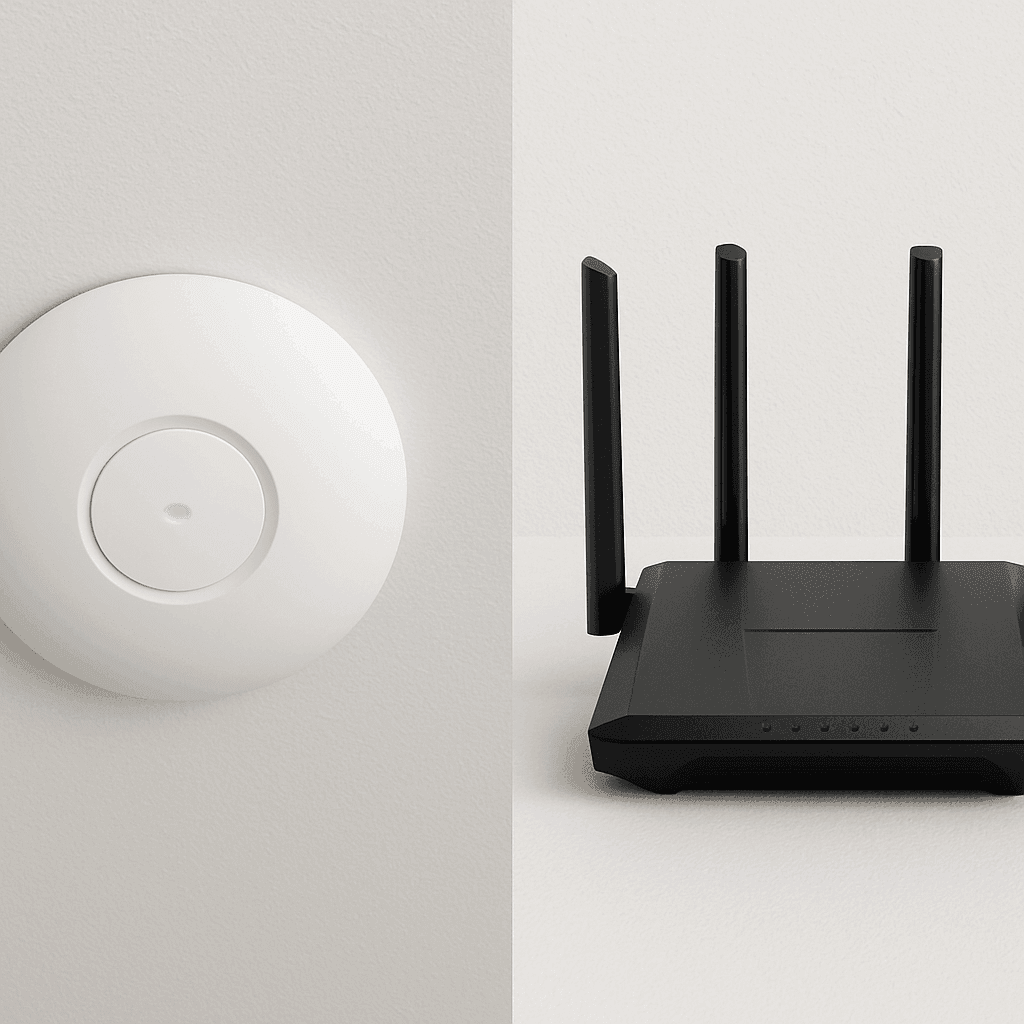
A single access point cannot reliably cover a multi-room office, and cranking up its transmit power does not help, it just creates a strong signal that devices can hear but cannot talk back to. The professional approach uses multiple access points, each covering a sensible area, wired back to the switch and coordinated so devices roam smoothly between them. This is how you get consistent signal in the meeting room, the kitchen, and the back office instead of one strong spot and a scattering of dead zones.
Capacity: plan for devices, not square metres
Modern offices are dense with devices: laptops, phones, tablets, printers, sensors, and the ever-growing list of things that insist on connecting. An access point that copes fine with ten devices can choke on fifty. Good design accounts for how many devices actually connect in each area and at what time, then places and configures access points to share that load rather than overwhelming a single radio.
Interference and channels
In a dense area like a Sydney CBD tower or a busy strip of shops, the airwaves are crowded. The old 2.4 GHz band has only three non-overlapping channels and is clogged with neighbouring networks, microwaves, and Bluetooth. Pushing modern devices onto the 5 GHz band, choosing channels that avoid your neighbours, and keeping channel widths sensible does more for real-world speed than almost any other Wi-Fi tweak. A proper site survey shows you exactly where the interference is coming from.
- Use wired connections for anything stationary and bandwidth-hungry, so the Wi-Fi is reserved for genuinely mobile devices.
- Separate guest and staff traffic onto different networks so visitors cannot slow down or see your internal systems.
- Position access points on ceilings and away from metal, mirrors, and thick walls that block and reflect signal.
Prioritise the traffic that matters with QoS
Not all network traffic is equal. A voice call or a video conference needs to arrive on time, every time, or it falls apart. A large backup or a software update can happily take its time in the background and nobody notices. Quality of Service, or QoS, is the set of rules that tells your network which traffic to protect when the pipe gets busy.
Without QoS, a single staff member uploading a huge file can starve everyone else's video calls, because the network treats every packet as equally important. With QoS configured, real-time traffic like voice and video is given priority, bulk transfers are politely held back, and the network degrades gracefully under load instead of collapsing. For any business running VoIP phones or leaning heavily on video meetings, well-tuned QoS is the difference between a network that works under pressure and one that only works when it is quiet.
QoS is genuinely fiddly to get right, because it depends on understanding your traffic mix and configuring rules consistently across routers and switches. Done carelessly it can make things worse. This is one area where professional configuration pays for itself quickly, and it is a routine part of the network tuning our networking specialists deliver.
Attack latency, not just bandwidth
There is a stubborn myth that a faster internet plan fixes a slow network. For many businesses, bandwidth stopped being the bottleneck years ago, and the real culprit is latency, the delay on every request. When you are working in cloud apps, remote desktops, or hosted systems, every click is a round trip, and shaving milliseconds off that round trip makes the whole day feel snappier.
Where latency hides
- Overloaded gateways: a cheap router struggling to keep up adds delay to everything passing through it.
- DNS lookups: slow or distant DNS servers add a pause before a single byte of a website loads. Choosing fast, reliable DNS is a free, instant improvement.
- Congestion: a saturated link queues traffic, and queued traffic is delayed traffic. This is exactly what QoS and adequate capacity are meant to prevent.
- Distant servers: if your cloud services or backups live on the other side of the world, physics imposes a floor on latency. Hosting closer to your users, ideally in Australia, can cut it dramatically.
For businesses whose core systems live in the cloud, the path between the office and those systems deserves the same scrutiny as the office network itself. When those systems are custom-built, the way they talk to each other also matters, which is why sensible API design and integration can quietly remove a surprising amount of latency from day-to-day work.
Segment the network for speed and safety
A flat network, where every device sits on the same segment and can see every other device, is both slower and more dangerous than it needs to be. As the number of devices grows, broadcast traffic multiplies and everyone shares the noise. Worse, if one device is compromised, nothing stops it reaching every other device on the network.
Segmentation, typically using VLANs, splits the network into logical zones: staff devices in one, guest Wi-Fi in another, phones in another, and sensitive systems or payment terminals kept separate again. Each segment carries less noise and can be given its own rules. The performance benefit is real, but the security benefit is enormous: a breach in the guest network cannot wander into your accounting server. It is a rare change that improves speed and safety at the same time, and it dovetails directly with the protections offered through our cybersecurity services.
Keep firmware, drivers, and configuration current
Network hardware ships with software, and that software gets better, and safer, over time. Manufacturers release firmware updates that fix bugs, patch security holes, and often improve performance outright. A router or access point running years-old firmware may be slower and more vulnerable than the identical device with an update applied, yet firmware is one of the most commonly neglected parts of any network.
The same goes for the network adapters and drivers on individual computers, which can quietly cap a machine's connection or drop it intermittently when out of date. Establishing a simple, regular maintenance rhythm, checking for firmware and driver updates, reviewing configurations, and confirming nothing has drifted, keeps a network healthy over years rather than letting it slowly decay. If keeping on top of this across every device sounds like a chore, that is precisely the kind of ongoing care a managed IT support arrangement takes off your plate.
Monitor continuously so problems announce themselves
The best-run networks are not the ones that never have problems; they are the ones that catch problems before users do. Continuous monitoring turns your network from a black box you poke at when something breaks into a system you can actually see. Instead of waiting for staff to complain, you watch traffic, latency, error rates, and device health in real time and get alerted when something drifts out of normal.
Monitoring pays off in three ways. It shortens troubleshooting from hours of guesswork to minutes of looking at a graph, because you can see exactly where and when performance dipped. It reveals slow-building trends, like a link creeping toward saturation, so you can plan an upgrade before it becomes an outage. And it validates your optimization work, showing in hard numbers that latency dropped or throughput rose after a change. A network you cannot see is a network you cannot improve.
What to keep an eye on
- Bandwidth utilisation per link, so you know when you are approaching capacity rather than discovering it during a crisis.
- Latency and packet loss to your key destinations, tracked over time so anomalies stand out.
- Device health, including CPU, memory, and temperature on switches and routers that are working harder than they should.
- Unusual traffic patterns, which can signal a misconfigured device, a runaway backup, or a security problem.
Do not forget the data flowing through it
Network optimization is not only about moving bits faster; it is about moving the right bits and not drowning the network in unnecessary ones. Uncontrolled backups running in the middle of the day, redundant copies of the same files syncing repeatedly, and sprawling storage with no structure all put load on the network that clever tuning then has to fight against.
Scheduling heavy transfers for quiet hours, deduplicating and organising storage, and being deliberate about what syncs, when, and to where reduces the load the network has to carry in the first place. Optimising the traffic is often easier than optimising the network, and a sensible data management strategy quietly removes a whole category of performance problems before they start.
Common network optimization mistakes to avoid
Experienced engineers see the same avoidable errors again and again. Recognising them saves a great deal of time and money:
- Buying bandwidth to fix a latency problem. A bigger plan does nothing if the connection was never full. Measure first.
- Treating Wi-Fi as one-size-fits-all. A single router cannot cover an office the way properly placed access points can.
- Ignoring the physical layer. Damaged cables and failing switch ports cause maddening, intermittent faults that no configuration will fix.
- Leaving everything on default. Default channels, no QoS, and no segmentation are fine for a home, not for a business under real load.
- Optimising once and walking away. Networks drift. Without monitoring and maintenance, today's tuned network is next year's slow one.
- Neglecting security in the name of speed. An open, flat, unpatched network may feel fast right up until the moment it becomes very expensive.
Optimization for smaller setups and home offices
Not every network is a corporate campus. Plenty of Sydney professionals run demanding work from a home office or a small studio, and the same principles scale down neatly. A wired connection to the desk instead of relying on Wi-Fi, a mesh system placed thoughtfully rather than a single router in the corner, current firmware, and a separate network for smart-home clutter all deliver an outsized improvement for very little money. If your home setup has become business-critical, it deserves more than consumer defaults, and our home IT support can help get it right.
Occasionally the bottleneck is not the network at all but a single struggling machine, an ageing laptop or a computer riddled with background processes dragging its connection down. When a device is the weak link, sorting out the machine itself through professional computer repairs can do more than any network change.
Knowing when to bring in a professional
Many of the tips here are things a capable owner can tackle: tidying cabling, updating firmware, placing a router better, splitting off a guest network. But there is a point where the return on your own time drops sharply and expertise becomes the cheaper option. Designing multi-access-point Wi-Fi with a proper survey, configuring QoS and VLANs correctly, diagnosing intermittent latency, and setting up monitoring that actually tells you something are all areas where an experienced engineer will do in an afternoon what might take you a frustrating fortnight.
A professional assessment also catches the things you would not think to look for: the switch running hot, the cable degrading behind a wall, the misconfiguration quietly costing you throughput. For Sydney businesses that depend on their network every working hour, that outside perspective usually pays for itself in recovered productivity within weeks. Our networking and cybersecurity services exist precisely to take a network from "mostly works" to "quietly excellent."
Bringing it all together
Network optimization is not a single trick; it is a discipline. It starts with measuring what is really happening, gets the cabling and switching right, designs Wi-Fi for coverage and capacity, prioritises the traffic that matters, hunts down latency, segments for speed and safety, and then keeps watching so problems announce themselves early. Do these things and a network stops being a daily source of friction and becomes something you simply stop noticing, in the best possible way.
The businesses that get the most out of their technology are rarely the ones with the biggest budgets; they are the ones whose networks are actually tuned to how they work. If your network feels slower than it should, or you would rather it were quietly handled by people who do this every day, the team at NexusByte can assess, optimise, and keep it running fast across Sydney.