

Why Professional WiFi Setup Services Are Important for Homes and Offices
You've upgraded your internet plan to the fastest speed available, yet your video calls still freeze the moment you walk into the kitchen. People experiencing this friction often wonder why their home WiFi is slow in some rooms, mistakenly blaming their service provider. Having 'full bars' next to your equipment means nothing if that connection vanishes down the hallway. The real culprit is usually the wireless delivery method inside your walls, not the actual internet pipeline coming into the building.
Relying on the free 'box' provided by your internet company typically creates these exact bottlenecks. Industry data reveals that most standard ISP routers are built for basic, single-room functionality rather than whole-building coverage. Their internal antennas simply lack the broadcasting power required to push a robust connection through modern construction materials.
Treating your wireless network like a vital utility finally lets you experience the speeds you actually pay for every month.
Think of your router as a living room speaker playing your favorite song. Walking into another room and closing the door naturally makes the music sound muffled, while adding brick walls or mirrors makes it nearly impossible to hear. Wireless signals operate exactly the same way, as physical barriers absorb and weaken the connection before it ever reaches your laptop.
Solving this invisible distance problem is the foundational step in establishing a professional WiFi setup for homes and offices. Network specialists don't rely on a single struggling box; they strategically place specialized hardware throughout your space to bypass structural hurdles. Treating your wireless network like a vital utility finally lets you experience the speeds you actually pay for every month.
The Professional Advantage: Why a 'Box in a Closet' Kills Your Productivity
You've probably tucked that blinking internet box out of sight inside a hall closet. While it keeps your space looking tidy, hiding your router is the quickest way to cripple your connection. Think of WiFi like a glowing lightbulb; if you shut it behind a solid wood door, the light simply cannot reach the rest of the house. Every physical object between that box and your laptop forces the signal to work harder, instantly slowing down your video calls.
Many everyday materials also actively reflect or absorb these invisible waves. Before professionals add any new equipment, they survey your space for common household items that silently block your connection:
- Mirrors: Metallic backings bounce WiFi backward, creating confusing interference.
- Water: Large fish tanks absorb radio waves like a heavy sponge.
- Metal: Kitchen appliances, particularly heavy refrigerators, act as massive roadblocks.
To find out exactly where your signal is dying, experts use specialized software to make the invisible visible. By walking through your space, they generate a visual diagram—utilizing heat mapping for optimal wireless signal coverage—showing strong areas in green and weak spots in red. This visual data removes all guesswork, ultimately eliminating dead zones with strategic access point placement rather than just plugging extenders into random outlets and hoping for the best.
Once your physical layout is perfectly mapped, the next step is upgrading the equipment itself. Knowing exactly where to put a device is only half the battle; the other half requires understanding the critical leap to enterprise-grade hardware vs. consumer routers for building a high-density foundation.
Enterprise-Grade Hardware vs. Consumer Routers: Building a High-Density Foundation
We expect a single, basic box from our internet provider to flawlessly manage every laptop and smart device we own. That standard 'all-in-one' router acts as a modem, router, and broadcaster simultaneously, which quickly creates an overworked system.
The biggest weakness of standard hardware is device density—the sheer number of gadgets demanding data at once. When smartphones, video doorbells, and televisions compete for attention, a basic router freezes under the pressure. It resembles a single teacher trying to answer fifty shouting students simultaneously.
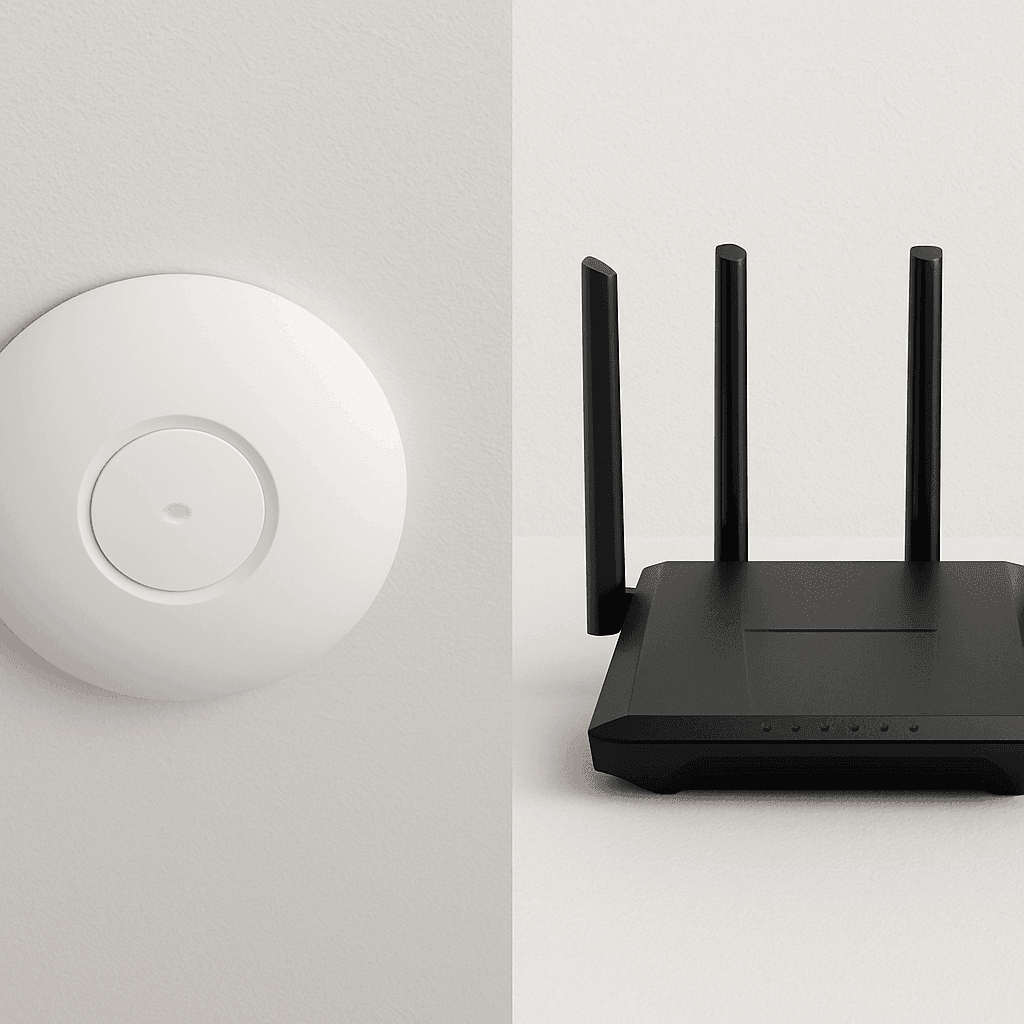
To solve this overcrowding, experts install Access Points (APs)—specialized devices that spread strong signals throughout your building. Implementing enterprise-grade wireless networking for small business or home environments distributes this heavy traffic across multiple dedicated hubs. Your laptop simply connects to the nearest unit without ever dropping your video call.
How these hubs receive their internet fundamentally changes your experience. DIY wireless mesh systems act like a relay race, dropping up to 50% of your speed with every wireless jump. Conversely, plugging each AP directly into the network—a technique known as a wired backhaul—delivers 100% capacity. This striking difference in wired backhaul vs wireless mesh performance is exactly why professional installations feel so incredibly fast.
Delivering top-tier business WiFi solutions ultimately relies on these physical connections. The wires feeding full internet speeds to your ceiling-mounted Access Points do not magically appear behind your drywall. To truly future-proof your space and guarantee rock-solid reliability, you must first establish structured cabling: the 'hidden plumbing' of a fast network.
Structured Cabling: The 'Hidden Plumbing' of a Fast Network
Imagine trying to run a high-pressure shower through a flimsy garden hose. That is exactly what happens when you rely purely on wireless signals to carry heavy internet traffic. To get flawless performance, experts use physical wires—specifically, heavy-duty Ethernet cords known as Cat6. Think of this as your building's data 'plumbing.' Laying down this hidden infrastructure, known as structured cabling for high-speed residential networks, ensures maximum internet capacity reaches every corner without bottlenecking.
Beyond feeding your wireless hubs, this in-wall plumbing serves another crucial purpose: getting non-mobile gadgets off the WiFi entirely. Hardwiring stationary electronics directly into a wall port clears the invisible airwaves for your mobile devices by removing heavy traffic:
- Smart TVs: Guarantees uninterrupted 4K movie streaming without the dreaded buffering circle.
- Desktop PCs: Delivers the ultra-stable connection essential for zero-drop video presentations.
- Game Consoles: Prevents massive software updates from slowing down the internet for the rest of the house.
Taking advantage of open drywall during a renovation is the most cost-effective time to run these cables. The long-term value of a professional network installation vs DIY router setup becomes obvious when your physical foundation effortlessly handles years of upgrades. With data plumbing delivering lightning-fast speeds, locking the digital front door becomes the next critical priority—moving beyond default passwords to secure the system with enterprise-grade standards.
Securing Your Network with Enterprise-Grade Standards: Moving Beyond Default Passwords
You likely use a basic password to keep strangers off your internet, but standard consumer routers often rely on outdated digital locks. Professional installations upgrade your system to WPA3 encryption for home network security. Think of WPA3 as a commercial-grade deadbolt for your data. It specifically blocks 'brute force' attacks, a method where automated software rapidly guesses thousands of passwords a second until it forces its way inside.
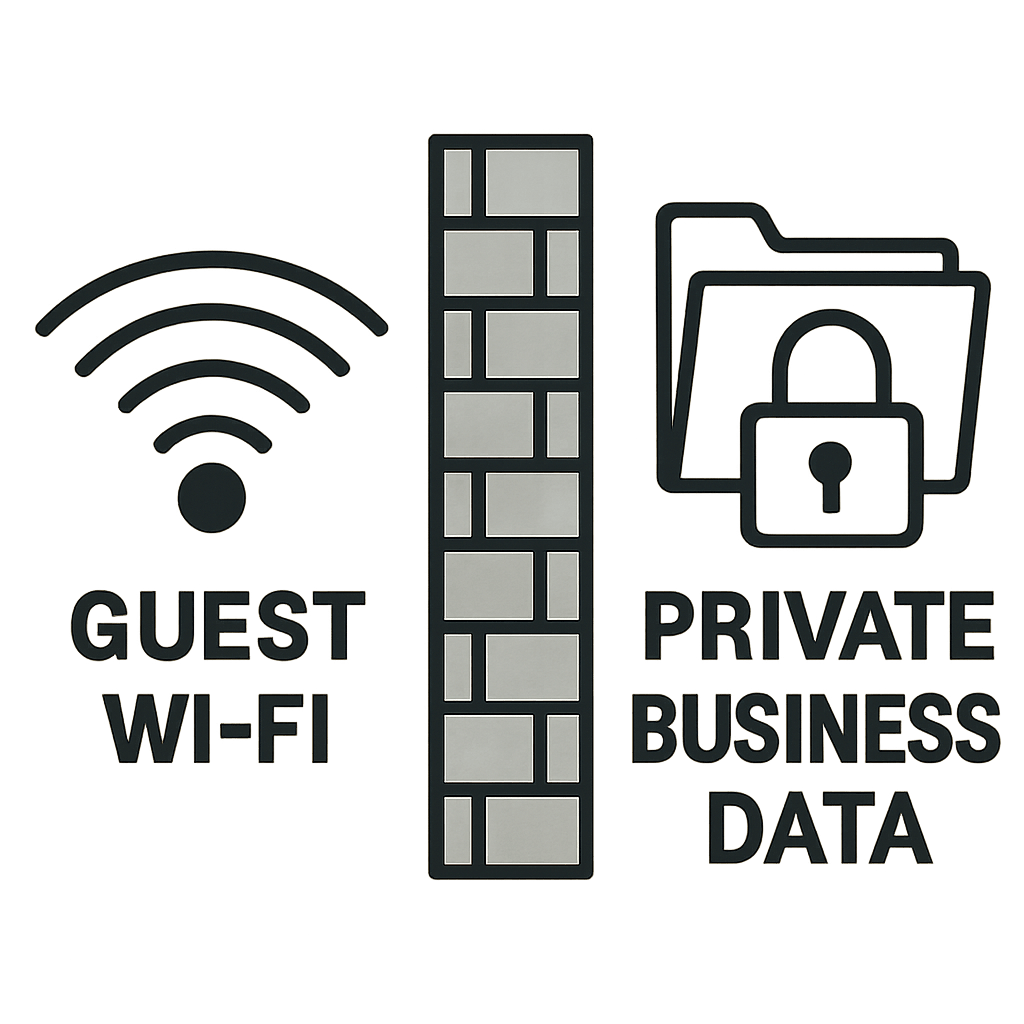
Beyond upgrading the locks on the front door, experts divide your internal network into separate, invisible rooms using VLANs (Virtual Local Area Networks). If a visiting client or babysitter logs into your guest WiFi, a VLAN creates a digital wall that prevents them from accessing your private file servers. This separation strategy is fundamental in any secure office network setup, keeping vulnerable smart devices completely isolated from your most sensitive documents.
Maintaining this digital fortress requires constant vigilance, which is where out-of-the-box equipment often falls short. While basic routers rely on unpredictable auto-updates that can suddenly drop your connection mid-meeting, enterprise WiFi solutions are managed proactively. Professionals test and apply these crucial firmware patches in the background, ensuring your security shields stay fortified against new threats without ever interrupting your workflow.
With physical wires installed and digital doors locked against intruders, the foundational infrastructure is secure. Ensuring this protected traffic moves flawlessly when needed most prevents high-stakes performance issues like video lag and latency.
Optimizing for High-Stakes Performance: Eliminating Video Lag and Latency
You've likely experienced the frustration of a frozen screen or garbled audio right before pitching a critical idea. This delay is known as latency, which is the fraction of a second it takes for data to travel from your computer to the server and back. High latency is the true culprit behind those awkward, talking-over-each-other moments during virtual meetings. Securing low latency internet for remote work productivity isn't about buying more raw speed from your internet provider; it's about organizing how that speed is actually used inside your building.
To prevent large file downloads from choking your crucial meetings, professionals implement a tool called Quality of Service (QoS). Think of your network like a busy highway; QoS acts as a dedicated VIP carpool lane exclusively for your live video data. When determining how to optimize office WiFi for video conferencing, setting up these digital traffic cops ensures that a client presentation always gets priority over a background software update.
Beyond internal traffic jams, your system must also fight off signal interference from your neighbors' routers, which acts like multiple people shouting in a crowded room. Properly managing bandwidth for high-density office environments requires professionals to prevent these invisible collisions by configuring four specific settings:
- QoS (Quality of Service): Prioritizes essential video and voice traffic.
- Channel Width: Adjusts the 'size' of your wireless signal to avoid overlapping with neighbors.
- Airtime Fairness: Stops older, slower smart devices from holding up the line for newer laptops.
- Power Levels: Adjusts the signal strength so your own access points don't shout over one another.
Once these performance levers are precisely calibrated, your daily digital interactions transform from unpredictable to flawless. However, maintaining this perfectly balanced ecosystem requires ongoing attention as physical spaces and device counts grow, exposing the 'set it and forget it' mentality as a professional myth.
Scalability and Management: Why 'Set It and Forget It' is a Professional Myth
We often treat our WiFi like household plumbing—assuming that once it is installed, it will work flawlessly forever. However, your digital environment constantly changes as you add new laptops, wireless printers, or smart thermostats. This growing collection of technology requires ongoing system adjustments, particularly for reducing signal interference from electronic devices that suddenly crowd your invisible airwaves.
When planning for this inevitable growth, people frequently ask, 'How many access points does my office need?' Professionals do not guess; they calculate this by evaluating your square footage, building materials, and daily human occupancy. A quiet, open-concept warehouse might only require two units, while a multi-story home filled with dense brick fireplaces and heavy streaming demands needs strategically placed units in multiple rooms to pass the signal around those solid physical barriers smoothly.
Managing these moving parts over time is where the scalability of managed WiFi services truly shines through a feature called 'cloud-managed' networking. Think of this like having an advanced digital dashboard that alerts a mechanic before your car actually breaks down. Instead of scheduling an expensive on-site technician when a connection drops, professionals can log into your system remotely to find and fix invisible roadblocks from miles away.
Building a flexible foundation from day one guarantees your system adapts alongside your growth, providing long-term peace of mind without the need for annual equipment replacements. Evaluating your current space is the first practical step toward building a frustration-free network.
Your Roadmap to a Frustration-Free Network: The Pro Setup Checklist
You now know that frustrating buffering and dropped video calls aren't just inevitable tech hiccups you have to tolerate. The hidden cost of a DIY network isn't just the price tag on a store-bought router; it's the lost productivity, compromised security, and daily aggravation. Recognizing the importance of professional WiFi setup for homes and offices means choosing reliable peace of mind over a temporary, out-of-the-box fix.
Start diagnosing your current setup today with a quick, three-step network audit:
- Check your router's position: Is it currently trapped inside a metal utility closet or hidden behind a thick TV screen?
- Count your connected devices: Tally up every phone, laptop, smart TV, printer, and smart bulb fighting for bandwidth.
- Test your speed: Run a speed test on your phone in the furthest room to see how much signal actually survives the physical journey.
If your audit reveals glaring dead zones or a struggling system, a professional consultation is your next best step. An expert can evaluate your specific physical layout, helping you leverage the benefits of mesh WiFi for multi-story buildings or wired access points for dense walls.
We invest heavily in premium laptops and smart TVs, but those devices are only as capable as the connection feeding them. By treating your WiFi as the essential, invisible foundation it actually is, you build a digital environment that simply works—empowering you to connect, stream, and work without a second thought.